Security Group Reports
6 ReportsAbout Security Group Reports
Security Group Reports provide comprehensive insights into groups used for permissions and access control. Track security groups across all scopes (built-in, local, global, universal) to manage resource access, implement least privilege, and maintain proper security boundaries.
Manage permissions and security
Built-in, local, global, universal
Manage resource access
Security Groups Overview
Security groups act as security principals that can be assigned permissions to resources (files, folders, printers, etc.). Members inherit the group's permissions, simplifying access management. Unlike distribution groups, security groups control access, not just email distribution.
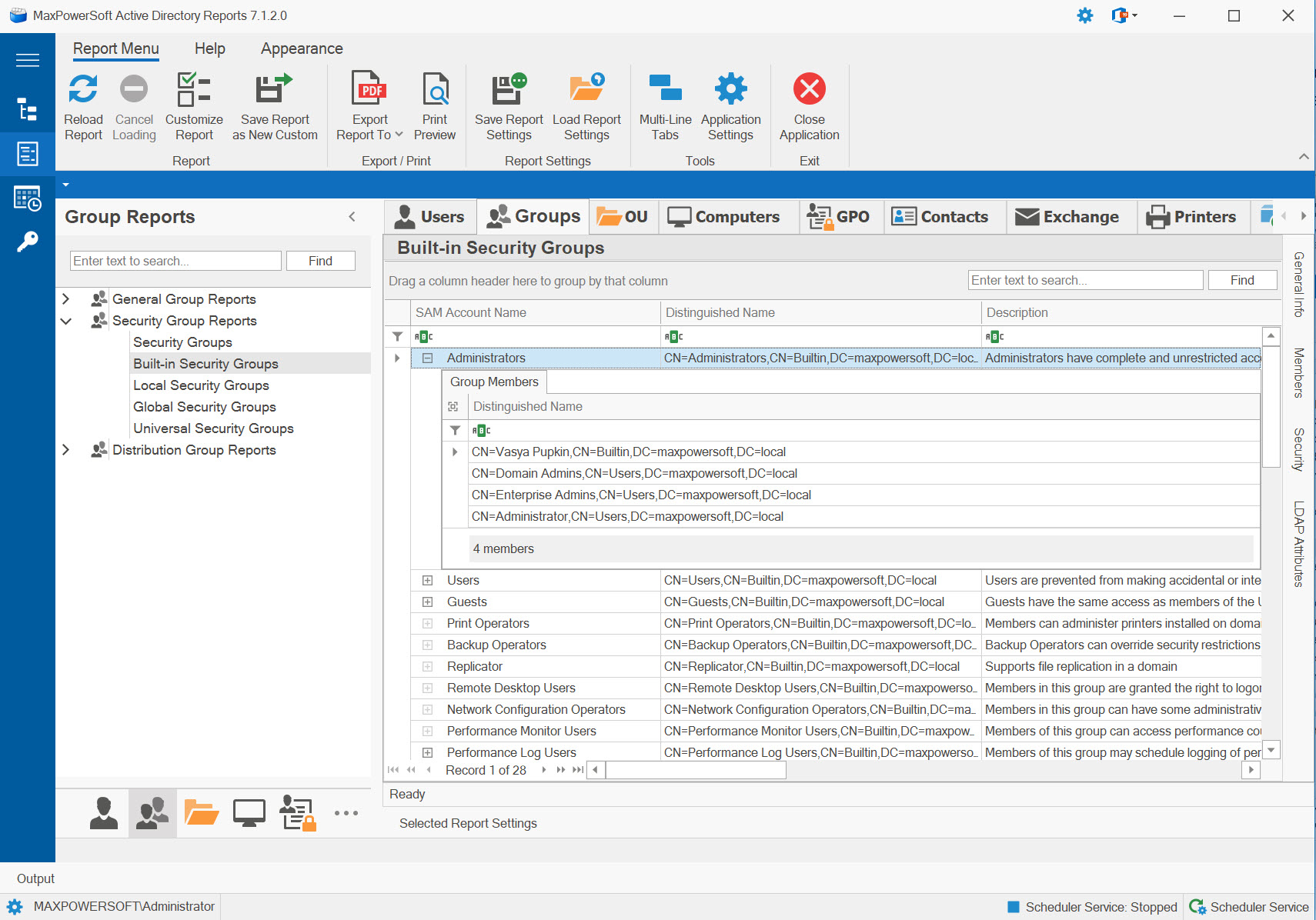
Example: Security Group Reports
Available Reports
All Security Groups
Comprehensive report of all security groups across all scopes - built-in, local, global, and universal. Complete inventory of groups used for permissions and access control.
Use Cases
- Complete security group inventory
- Permission structure audit
- Access control documentation
- Baseline for security reviews
Key Information
- All security groups
- Group scope (built-in/local/global/universal)
- Member counts
- Purpose and descriptions
- Permission assignments
Built-in Security Groups
Shows predefined security groups created automatically during domain setup with specific administrative privileges and permissions. Critical for maintaining system security.
Use Cases
- Audit default group memberships
- Verify built-in permission assignments
- System security validation
- Administrative access review
Key Information
- Predefined security groups
- Default privileges and rights
- Current memberships
- Purpose and capabilities
- System-level permissions
Local Security Groups (Domain Local)
Lists domain local security groups - used to assign permissions to resources within the domain. Can contain users/groups from any domain but only grant access to local domain resources.
Use Cases
- Resource permission assignments
- Local access control management
- File server security groups
- Domain-specific resource access
Key Information
- Domain local scope groups
- Can contain universal members
- Grant access to local resources
- Typical use: resource permissions
- AGDLP strategy (DL for permissions)
Global Security Groups
Shows global scope security groups - used to organize users/computers with similar needs. Can be used anywhere in the domain or forest but can only contain members from the same domain.
Use Cases
- Organize users by role or department
- Nest into domain local groups
- Cross-domain access (when in DL)
- Role-based organization
Key Information
- Global scope groups
- Same-domain members only
- Can be nested in DL groups
- Typical use: user organization
- AGDLP strategy (G for grouping)
Universal Security Groups
Lists universal scope security groups - can contain members from any domain and be used anywhere in the forest. Stored in Global Catalog, so changes replicate forest-wide.
Use Cases
- Forest-wide access requirements
- Multi-domain resource access
- Enterprise-wide roles
- Consolidate global groups
Key Information
- Universal scope groups
- Can contain members from any domain
- Forest-wide visibility
- Global Catalog replication
- Use sparingly (replication impact)
Empty Security Groups
Security groups with no members. Identifies security groups that have zero members, which may indicate unused groups that can be cleaned up or groups that were created but never populated.
Use Cases
- Identify unused security groups
- AD cleanup and hygiene
- Reduce clutter in group listings
- Audit group lifecycle management
Key Information
- Group name and distinguished name
- Group scope (local, global, universal)
- Group description
- When created and last changed
Best practice for using group scopes effectively:
- Accounts → Add user accounts to...
- Global groups → Add global groups to...
- Domain Local groups → Assign...
- Permissions to resources
This strategy simplifies management and works well across domains and forests.
Related Reports
Explore other group report categories:
See These Reports in Action
Try AD Reports free for 14 days — run any of these reports on your own Active Directory.
Download Free Trial View All Features