Contact Information Reports
12 ReportsAbout Contact Information Reports
Contact Information Reports help you manage and audit user contact details stored in Active Directory. Track email addresses, phone numbers, fax numbers, physical addresses, and organizational information to maintain accurate user directories and ensure communication effectiveness.
Monitor email address completeness
Audit contact number coverage
Track organizational details
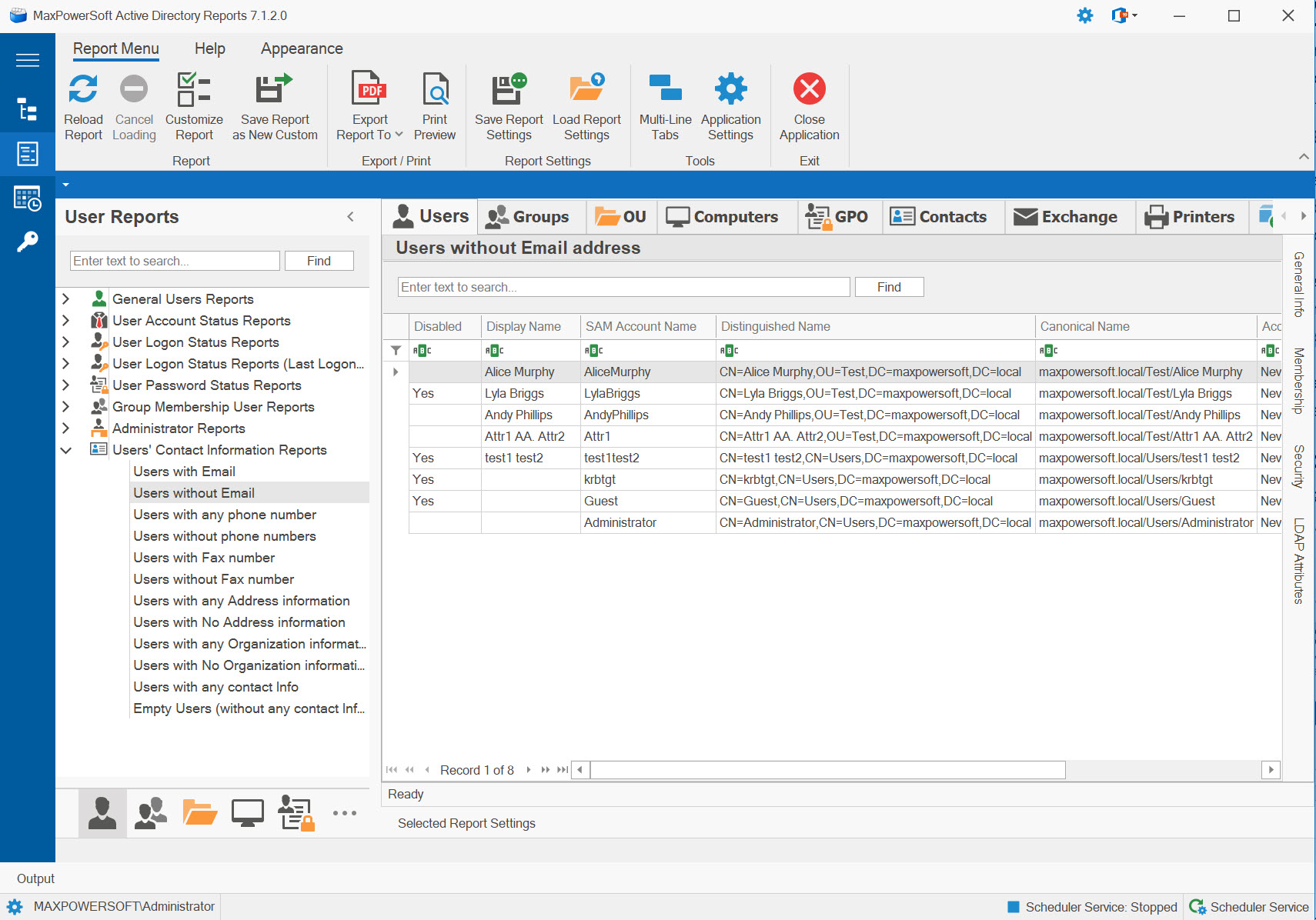
Example: Contact Information Reports
Available Reports
Users with Email
Lists all users who have an email address configured in Active Directory. Essential for communication planning and directory completeness verification.
Use Cases
- Verify email provisioning
- Directory completeness audit
- Communication list building
- Email-enabled user count
Key Information
- User names and email addresses
- Email format and domain
- Primary SMTP addresses
- Mailbox status
- Department and title
Users without Email
Identifies users missing email addresses in Active Directory. Critical for identifying incomplete provisioning or service accounts that don't require email.
Use Cases
- Identify provisioning gaps
- Find service accounts
- Onboarding completion check
- Directory cleanup priorities
Key Information
- Users lacking email addresses
- Account type (user/service)
- Account creation date
- Enabled/disabled status
- Department and manager
Users with Any Phone Number
Shows users who have at least one phone number (office, home, mobile, or other) configured in their profile.
Use Cases
- Build phone directories
- Verify contact info completeness
- Emergency contact lists
- Communication channel validation
Key Information
- Users with phone numbers
- Office, mobile, home numbers
- Phone number formats
- Extension information
- Contact preferences
Users without Phone Numbers
Identifies users with no phone numbers configured. Useful for identifying contact information gaps.
Use Cases
- Identify contact info gaps
- Directory completeness audit
- Follow up with users/HR
- Data quality improvement
Key Information
- Users without phone numbers
- Missing contact channels
- Department and location
- Account status
- Update priorities
Users with Fax Number
Lists users who have fax numbers configured. Becoming less common but still used in some industries.
Use Cases
- Legacy communication tracking
- Industry-specific requirements
- Fax directory compilation
- Data cleanup identification
Key Information
- Users with fax numbers
- Fax number details
- Department usage patterns
- Legacy communication methods
- Cleanup candidates
Users without Fax Number
Shows users with no fax number configured - typically the vast majority in modern organizations.
Use Cases
- Verify modern communication
- Identify outliers needing fax
- Directory modernization audit
- Communication method trends
Key Information
- Users without fax numbers
- Modern communication reliance
- Alternative contact methods
- Industry-specific needs
- Standard configuration
Users with Any Address Information
Lists users who have physical address information (street, city, state, ZIP, country) configured.
Use Cases
- Build location directories
- Shipping and mailing lists
- Geographic distribution analysis
- Office location tracking
Key Information
- Users with address data
- Street, city, state, ZIP
- Country information
- PO Box details
- Office locations
Users without Address Information
Identifies users missing physical address details. Common for remote workers or when addresses aren't tracked.
Use Cases
- Identify address data gaps
- Remote worker identification
- Directory completeness check
- Data collection priorities
Key Information
- Users without addresses
- Remote vs office workers
- Data collection needs
- Work location patterns
- Address policy compliance
Users with Any Organization Information
Shows users with organizational details like title, department, company, manager configured.
Use Cases
- Verify org chart completeness
- Organizational structure audit
- Directory quality assessment
- Reporting hierarchy validation
Key Information
- Users with org data
- Title and department
- Company and division
- Manager assignments
- Organizational hierarchy
Users without Any Organization Information
Critical report showing users missing organizational details - often indicates incomplete provisioning.
Use Cases
- Identify incomplete accounts
- Find orphaned users
- Onboarding completion check
- Service account identification
Key Information
- Users without org info
- Missing hierarchy data
- Incomplete provisioning
- Account classification
- Update priorities
Users with Any Contact Information
Comprehensive report showing users with at least some contact information populated (email, phone, address, or org data).
Use Cases
- Assess overall directory quality
- Identify contactable users
- Communication planning
- Directory utilization metrics
Key Information
- Users with any contact data
- Contact completeness levels
- Communication channels available
- Directory population rate
- Data quality indicators
Empty Users (Without Any Contact Information)
Critical report identifying "empty" users with no contact information whatsoever. High priority for review and cleanup.
Use Cases
- Identify completely empty accounts
- Find test/placeholder accounts
- Priority cleanup candidates
- Service account detection
Key Information
- Completely empty user accounts
- No contact data whatsoever
- Potential test accounts
- Deletion candidates
- Account classification needed
Related Reports
Explore other user report categories:
See These Reports in Action
Try AD Reports free for 14 days — run any of these reports on your own Active Directory.
Download Free Trial View All Features