GPO OU Reports
3 ReportsAbout GPO OU Reports
GPO Organizational Unit Reports provide critical insights into Group Policy Object linkages and inheritance behavior across your OU structure. Identify OUs with GPO links, track inheritance blocking, and ensure proper policy application throughout your domain hierarchy.
Track policy connections
Monitor policy flow
Understand GPO hierarchy
About GPO and OUs
Group Policy Objects (GPOs) are linked to Organizational Units to apply settings to objects within those OUs:
- GPO Linkage: GPOs must be linked to OUs to take effect
- Inheritance: By default, policies flow down from parent to child OUs
- Block Inheritance: Prevents parent GPOs from affecting child OU objects
- Enforced Links: Cannot be blocked by child OUs (overrides block inheritance)
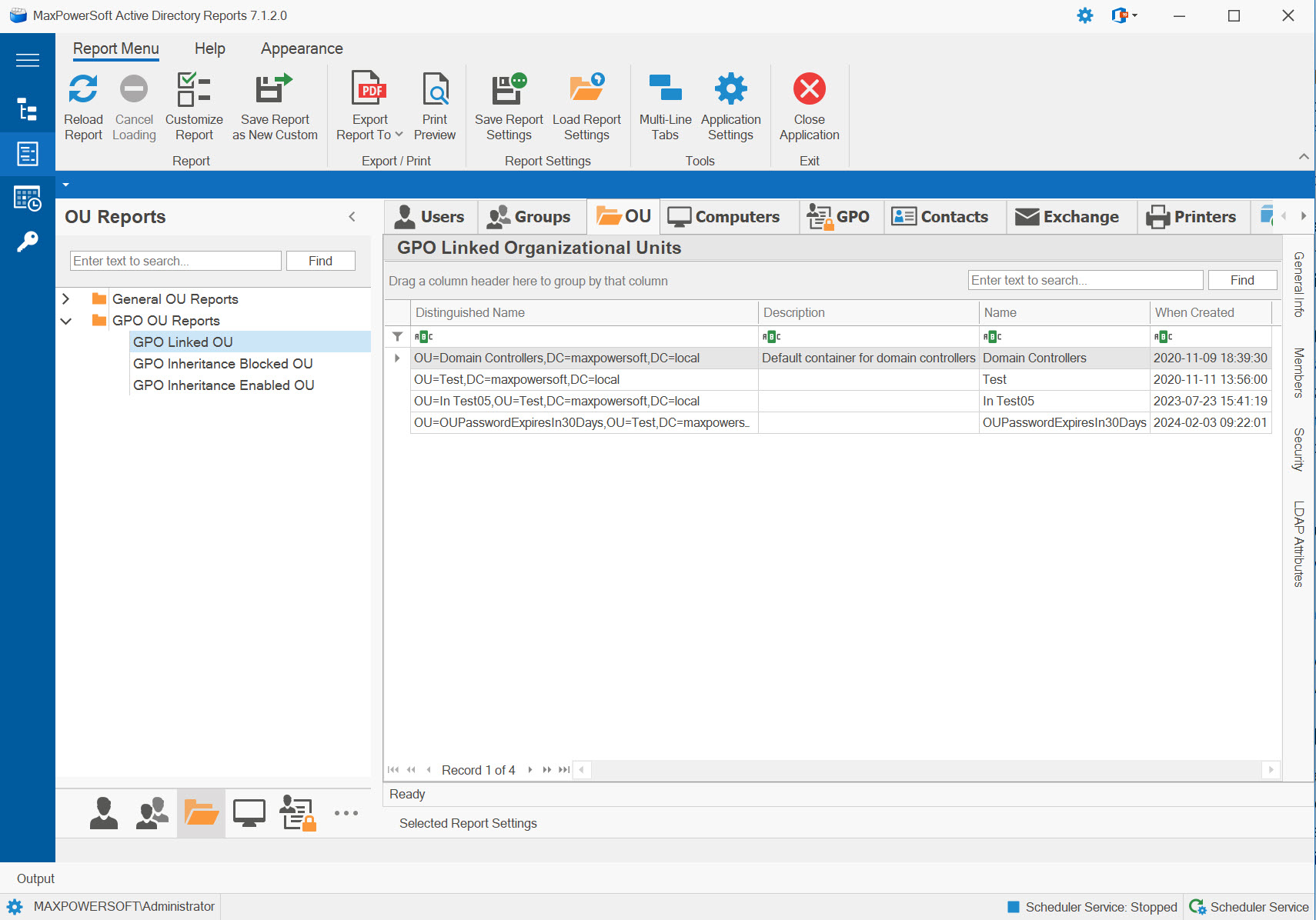
Example: GPO OU Reports
Available Reports
GPO Linked Organizational Units
Shows all OUs with Group Policy Objects linked to them. Essential for understanding where policies are applied and managing GPO deployment across your domain structure.
Use Cases
- Audit GPO deployment locations
- Identify policy application points
- Plan GPO link changes
- Document policy structure
- Troubleshoot policy issues
Key Information
- OUs with GPO links
- Linked GPO names
- Link order and precedence
- Link enabled/disabled status
- Enforced link settings
GPO Inheritance Blocked Organizational Units
Identifies OUs with "Block Policy Inheritance" enabled - prevents parent GPOs from affecting objects in these OUs. Critical for understanding policy isolation and exceptions.
Use Cases
- Audit policy inheritance blocking
- Identify policy isolation zones
- Troubleshoot missing policies
- Security boundary verification
- Exception management
Key Information
- OUs blocking inheritance
- Blocked parent GPOs
- Reason for blocking
- Directly linked GPOs (still apply)
- Enforced GPOs (not blocked)
GPO Inheritance Enabled Organizational Units
Shows OUs where GPO inheritance is permitted - the normal and recommended state. Parent GPO settings flow down and affect objects in these OUs, ensuring consistent policy application.
Use Cases
- Verify normal inheritance flow
- Confirm policy consistency
- Baseline for standard OUs
- Policy coverage validation
- Compare against blocked OUs
Key Information
- OUs with normal inheritance
- Inherited parent GPOs
- Directly linked GPOs
- Complete GPO list (inherited + linked)
- Policy application order
Group Policy Objects are applied in this order:
- Local - Local computer policy
- Site - GPOs linked to the Active Directory site
- Domain - GPOs linked to the domain
- OU - GPOs linked to organizational units (parent → child)
Important Rules:
- Later policies override earlier ones (unless configured otherwise)
- Enforced GPO links cannot be overridden
- Block Inheritance stops parent policies (except enforced)
- Within an OU, link order determines precedence (higher link order = higher priority)
Common GPO Issues:
Policy Not Applying?
- Check if OU has inheritance blocked
- Verify GPO is linked to correct OU
- Check if GPO link is enabled
- Verify link order/precedence
Unexpected Policy Behavior?
- Check for conflicting GPO settings
- Review enforced links
- Verify security filtering
- Check WMI filters
Pro Tip: Use these reports with Group Policy Results (gpresult) for complete troubleshooting.
Related Reports
Explore other OU and GPO report categories:
See These Reports in Action
Try AD Reports free for 14 days — run any of these reports on your own Active Directory.
Download Free Trial View All Features