AdminSDHolder Protected Objects
3 ReportsAbout AdminSDHolder Protected Objects Reports
AdminSDHolder Protected Objects Reports identify user accounts that have the adminCount=1 attribute set.
These accounts are protected by the AdminSDHolder mechanism, which periodically resets their security descriptors.
Auditing these accounts is critical for identifying privileged access and cleaning up stale protections on formerly
privileged accounts.
Find all protected accounts
Identify cleanup candidates
Verify privilege assignments
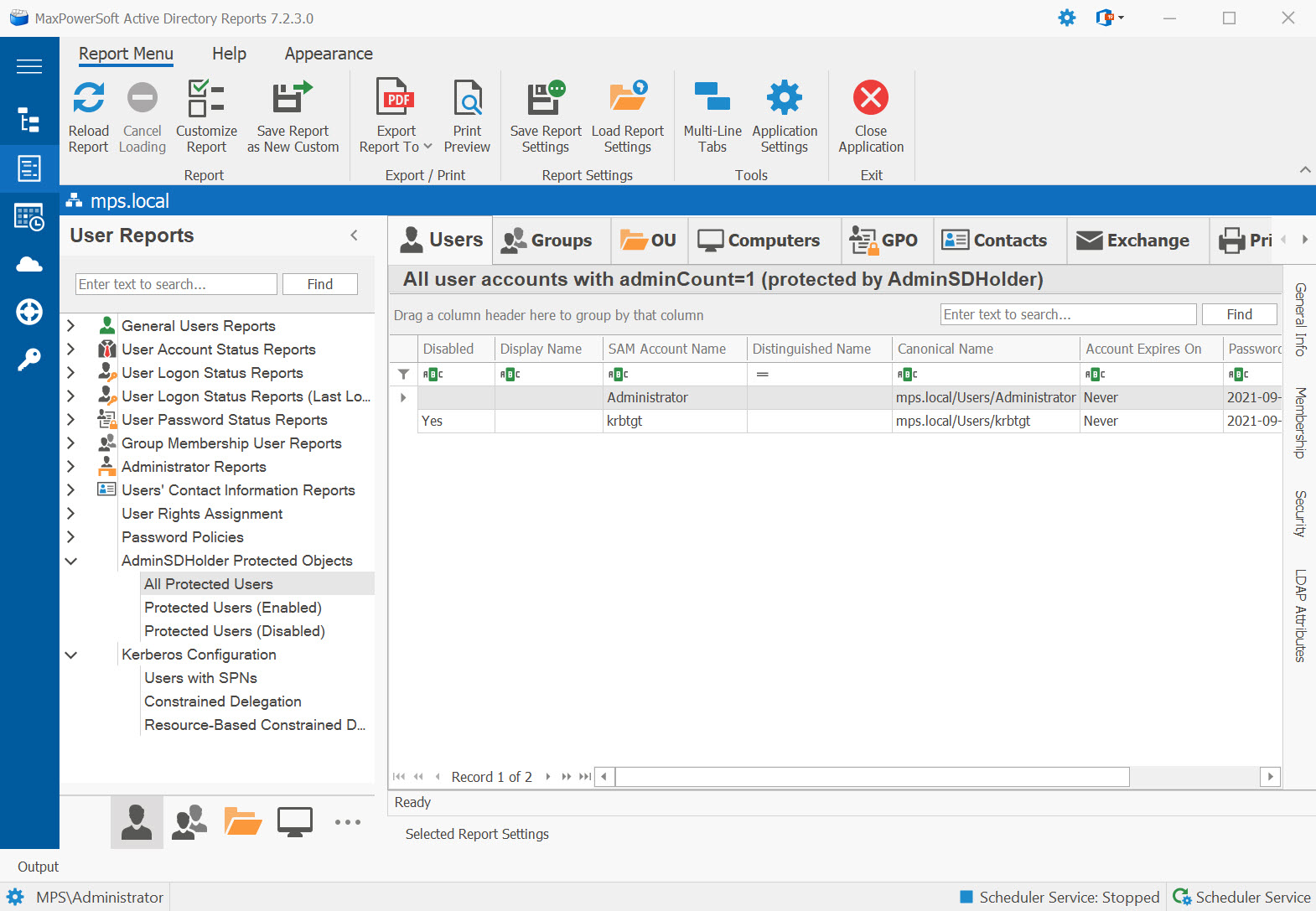
Example: AdminSDHolder Protected Objects Reports in AD Reports
Available Reports
All Protected Users
All user accounts with adminCount=1 (protected by AdminSDHolder). Includes both enabled and
disabled accounts, giving you a complete inventory of every account that has ever held privileged group membership.
Use Cases
- Full privileged account inventory
- Security compliance auditing
- Identify accounts needing adminCount cleanup
- Baseline for privilege reduction
Key Information
- Account name and status
- Last logon timestamp
- Group memberships
- Account creation and change dates
adminCount attribute is not automatically cleared when a user is
removed from a privileged group. Disabled accounts in this list may be cleanup candidates.
Protected Users (Enabled)
Enabled user accounts with adminCount=1 (active protected accounts). These are currently active
accounts whose security descriptors are being maintained by AdminSDHolder — your live privileged user population.
Protected Users (Disabled)
Disabled user accounts with adminCount=1 (formerly protected, cleanup candidates). These accounts
are disabled but still carry the adminCount flag, indicating they were once members of privileged groups.
adminCount=1 are prime candidates for cleanup.
Consider clearing the adminCount attribute and resetting their security descriptor to the default.
See These Reports in Action
Try AD Reports free for 14 days — run any of these reports on your own Active Directory.
Download Free Trial View All Features