Computer Logon Status Reports (Last Logon Timestamp)
10 ReportsAbout Computer Logon Status Reports (Last Logon Timestamp)
Computer Logon Status Reports (Last Logon Timestamp) use the replicated lastLogonTimestamp attribute to track computer
login activity. Unlike the non-replicated lastLogon attribute, the timestamp is available from any
domain controller without needing to scan all DCs, though it may be up to 14 days behind the actual last logon.
Available from any DC
No multi-DC scanning needed
Find inactive computers
lastLogonTimestamp vs lastLogon
The lastLogonTimestamp attribute is replicated across all domain controllers but may lag up to 14 days
behind the actual logon time. For exact logon times, use the standard
Computer Logon Status Reports which scan all DCs.
Example: Computer Logon Status Reports (Last Logon Timestamp) in AD Reports
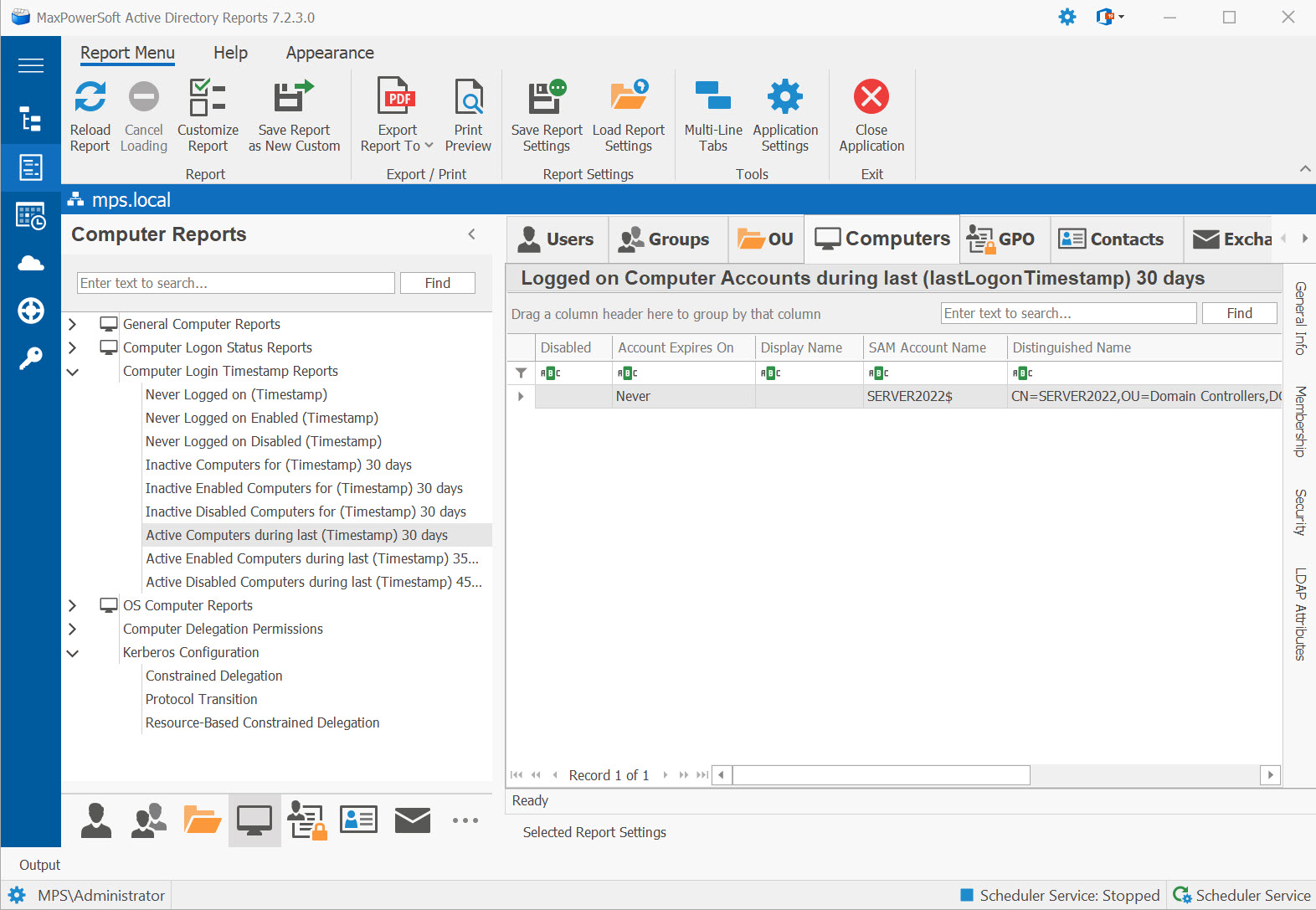
Available Reports
Never Logged on (Timestamp)
Never Logged on Computer Accounts (lastLogonTimestamp). Computers that have never authenticated to the domain based on the replicated timestamp attribute.
Use Cases
- Identify computer accounts created but never joined to the domain
- Detect orphaned pre-created computer accounts
- Cleanup target for AD hygiene — reduce account sprawl
Key Information
- Computer name and Distinguished Name
- OU path and enabled/disabled status
- Account creation date
- Operating System
Never Logged on Enabled (Timestamp)
Never Logged on Enabled Computer Accounts (lastLogonTimestamp). Active computer accounts that have never authenticated — potential provisioning issues or stale pre-staged accounts.
Never Logged on Disabled (Timestamp)
Never Logged on Disabled Computer Accounts (lastLogonTimestamp). Disabled computers that have never authenticated — candidates for deletion.
Inactive Computers for (Timestamp)
Computer accounts that have not logged on for at least N days (lastLogonTimestamp). Identify stale computer accounts that may need to be disabled or removed.
Use Cases
- Find computers that haven't contacted the domain within your threshold (14-90 days)
- Identify stale workstations due for decommission
- Validate against asset inventory for compliance
Key Information
- Computer name and Distinguished Name
- Last logon timestamp date
- Days since last logon
- OU path and Operating System version
lastLogonTimestamp attribute can be up to 14 days behind actual activity. A computer appearing inactive here may have logged on within the past two weeks.
Inactive Enabled Computers for (Timestamp)
Enabled computer accounts that have not logged on for at least N days (lastLogonTimestamp). Active accounts that are not being used — priority cleanup targets.
Inactive Disabled Computers for (Timestamp)
Disabled computer accounts that have not logged on for at least N days (lastLogonTimestamp). Already disabled and inactive — strong candidates for deletion.
Active Computers during last (Timestamp)
Computer accounts that have logged on during the last N days (lastLogonTimestamp). Your actively used computer population.
Use Cases
- Generate an inventory of recently active machines in the domain
- Validate that workstations are regularly checking in (domain connectivity health)
- Support license compliance and asset management
Key Information
- Computer name and Distinguished Name
- Last logon timestamp date
- Operating System and OU path
- Enabled status
lastLogonTimestamp within your specified window. For real-time precision, use the Computer Logon Status report which queries all domain controllers.
Active Enabled Computers during last (Timestamp)
Enabled computer accounts that have logged on during the last N days (lastLogonTimestamp). Active and enabled — your healthy computer fleet.
Active Disabled Computers during last (Timestamp)
Disabled computer accounts that have logged on during the last N days (lastLogonTimestamp). Recently active but now disabled — verify the disable action was intentional.
Stale Computers — Cleanup Candidates New
Finds computers that are stale on both signals — they haven't logged on AND they haven't rotated their password — for at least the number of days you choose. Far more reliable than single-metric "inactive" reports because it eliminates false positives from freshly-joined or recently-decommissioned machines. Use this as your "what can I safely delete?" list.
Use Cases
- Quarterly AD hygiene cleanup — the dual-signal filter dramatically reduces false positives
- Decommission review — computers that genuinely stopped existing
- Pre-audit cleanup before a security review
Key Information
- Computer name and Distinguished Name
- Last logon timestamp + days since last logon
- Password last set + days since password rotation
- Enabled status and Operating System
See These Reports in Action
Try AD Reports free for 14 days — run any of these reports on your own Active Directory.
Download Free Trial View All Features