Nested Group Membership Reports
3 ReportsAbout Nested Group Membership Reports
Nested Group Membership Reports analyze group nesting structures in your Active Directory. Identify groups that are members of other groups, detect deeply nested chains that are difficult to audit, and discover circular membership references that indicate configuration errors.
Map group hierarchies
Find complex nesting chains
Identify configuration errors
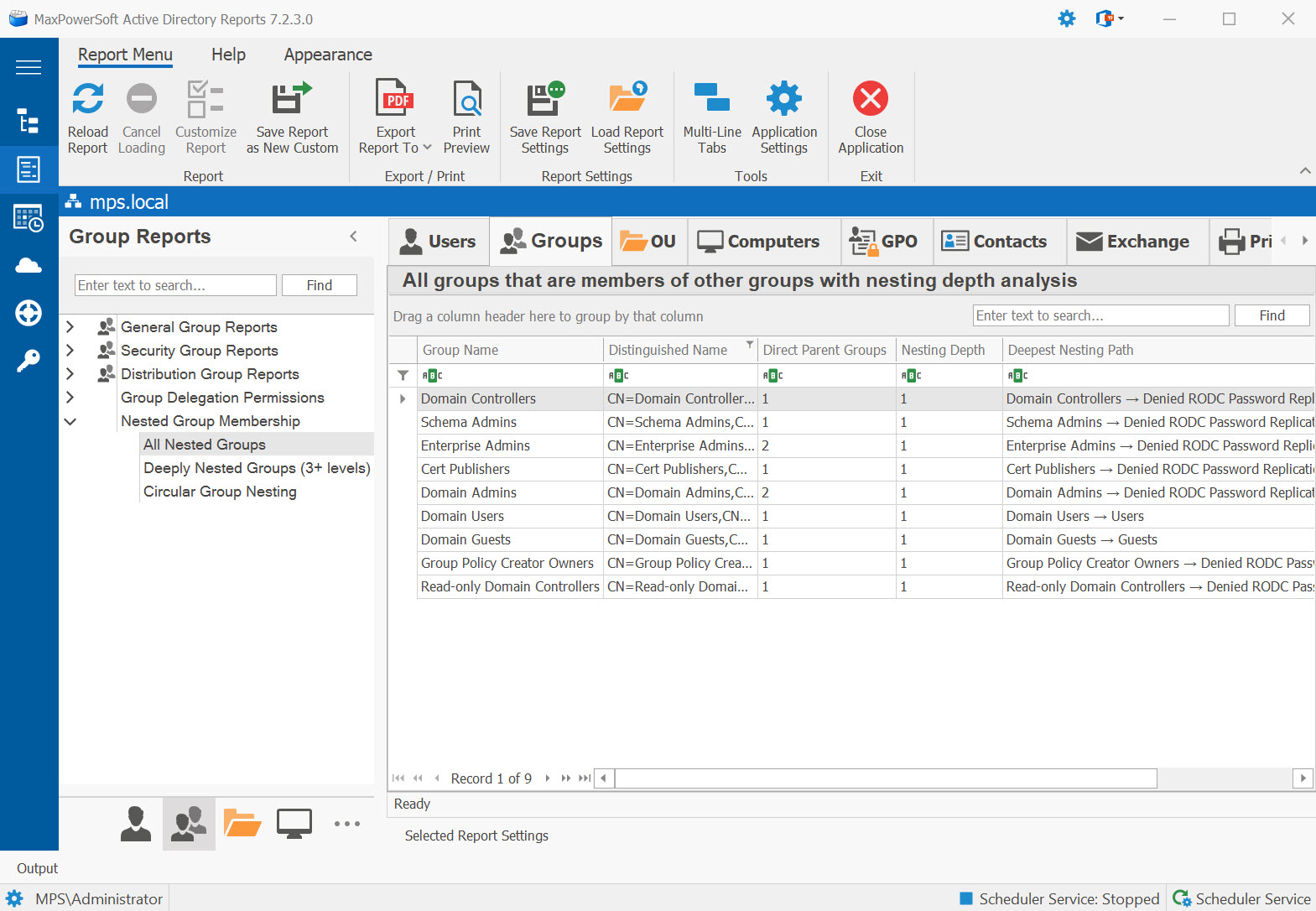
Example: Nested Group Membership Reports in AD Reports
Available Reports
All Nested Groups
All groups that are members of other groups with nesting depth analysis. Provides a complete map of group-within-group relationships, including the nesting level for each relationship.
Use Cases
- Map all group nesting relationships
- Understand effective group membership
- Identify simplification opportunities
- Security auditing of indirect access
Key Information
- Parent and child group names
- Nesting depth level
- Group types and scopes
- Member count at each level
Deeply Nested Groups (3+ levels)
Groups nested 3 or more levels deep (complex nesting that is difficult to audit). Deep nesting makes it challenging to understand effective access and can lead to unintended privilege escalation.
Use Cases
- Identify nesting chains that make access difficult to audit
- Find groups where membership calculation may time out or be incomplete
- Reduce nesting depth for manageability and compliance
Key Information
- Top-level group name
- Nesting depth (number of levels)
- Nested path chain
- All member groups in the chain
Circular Group Nesting
Groups involved in circular membership chains (configuration errors). Circular nesting occurs when Group A is a member of Group B, and Group B is also a member of Group A (directly or through a chain).
Use Cases
- Detect circular membership references (Group A → B → C → A)
- Identify groups causing potential infinite loops in tooling
- Fix configuration errors before they cause application issues
Key Information
- Group name involved in the circular reference
- All groups in the circular chain
- Cycle path (A → B → C → A)
See These Reports in Action
Try AD Reports free for 14 days — run any of these reports on your own Active Directory.
Download Free Trial View All Features