GPO Link Status Reports
3 ReportsAbout GPO Link Status Reports
GPO Link Status Reports audit GPO links from every OU, domain, and site in your environment. Identify enforced links that override Block Inheritance, discover disabled links that may need cleanup, and get a complete picture of how Group Policies are deployed across your domain.
Review all GPO links
Override Block Inheritance
Identify inactive links
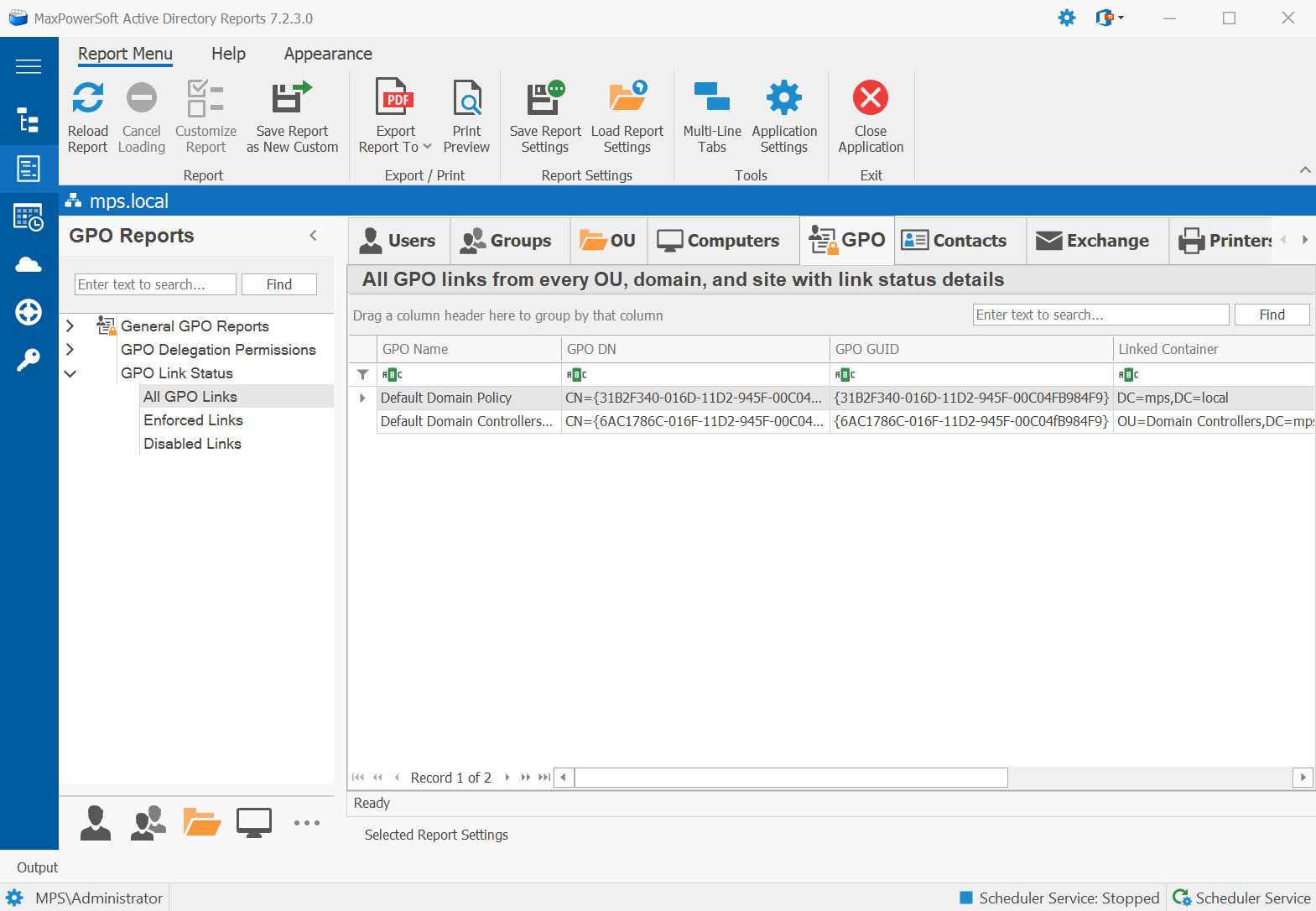
Example: GPO Link Status Reports in AD Reports
Available Reports
All GPO Links
All GPO links from every OU, domain, and site with link status details. Provides a complete inventory of how GPOs are deployed, including link order, enabled status, and enforcement settings.
Use Cases
- Generate a complete policy deployment map across the domain
- Troubleshoot unexpected policy application by reviewing link hierarchy
- Identify OUs with no GPOs linked (policy gaps)
- Support GPO documentation and change management
Key Information
- Linked GPO name and GUID
- Link target (OU / domain / site name)
- Link order (processing sequence)
- Link status (enabled/disabled) and enforced flag
Enforced Links
GPO links that are enforced (override Block Inheritance). Enforced links ensure that specific policies are applied regardless of any Block Inheritance settings on child OUs.
Use Cases
- Identify GPOs that override Block Inheritance (security baselines)
- Audit domain-wide policy enforcement
- Detect unauthorized enforcement flags overriding local IT policies
Key Information
- GPO name and enforcement status
- Link target and link order
- Whether Block Inheritance is set on the target OU
Disabled Links
GPO links that are currently disabled. The GPO exists and is linked, but the link is inactive so the policy is not being applied. Review these for cleanup or reactivation.
Use Cases
- Identify obsolete or decommissioned GPO links for deletion
- Find legacy policies kept "just in case" creating administrative confusion
- Cleanup targets during AD housekeeping
Key Information
- GPO name and link target (OU / site / domain)
- Date the GPO was last modified
- Whether the GPO itself is enabled or disabled
See These Reports in Action
Try AD Reports free for 14 days — run any of these reports on your own Active Directory.
Download Free Trial View All Features