User Rights Assignment Reports
5 ReportsAbout User Rights Assignment Reports
User Rights Assignment Reports audit the security privilege assignments configured on your domain controllers. These reports enumerate which accounts hold specific logon and service rights, helping you identify over-privileged accounts and verify compliance with your organization's security policies.
Enumerate rights from all DCs
Identify over-privileged accounts
Verify security policy adherence
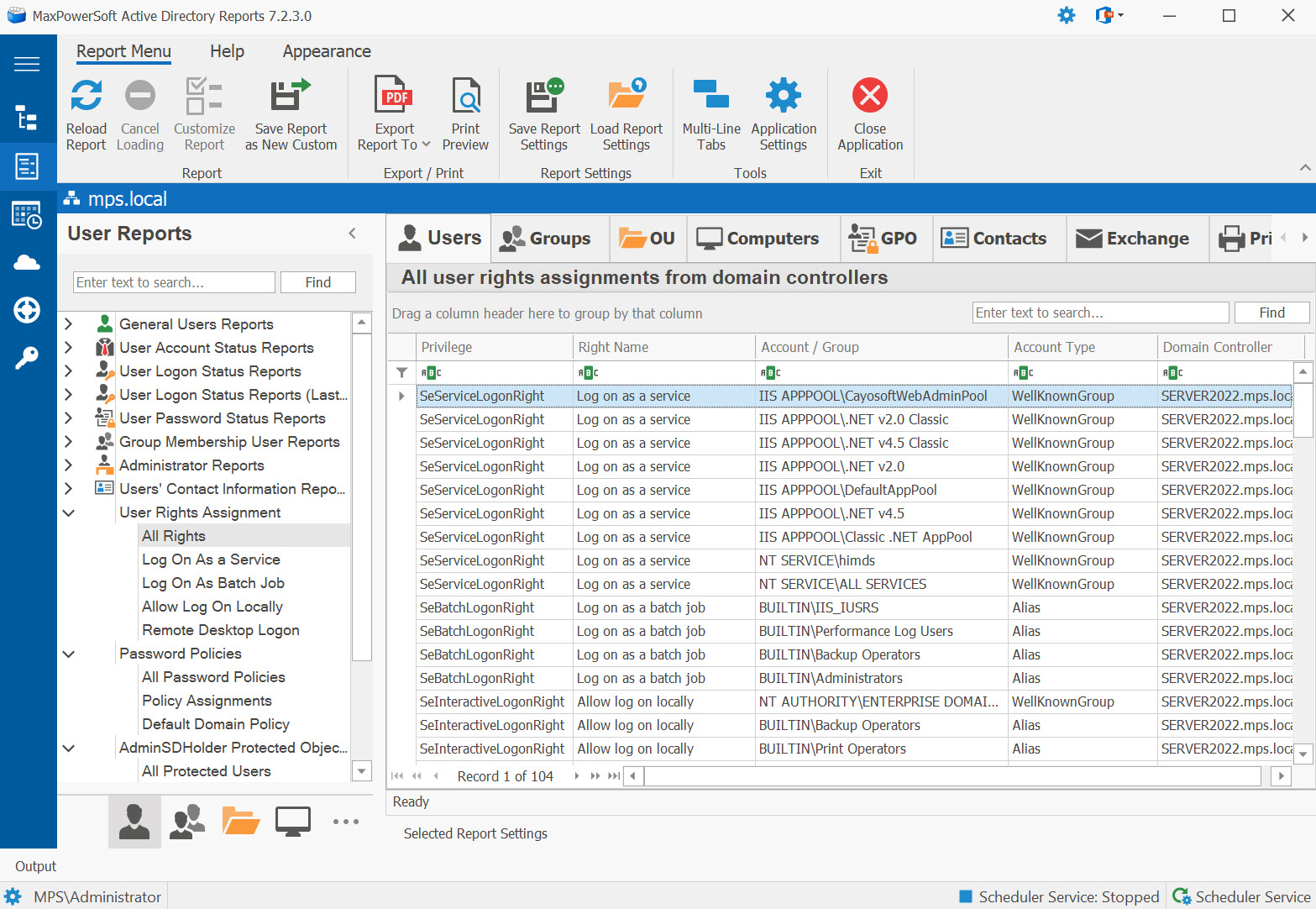
Example: User Rights Assignment Reports in AD Reports
Available Reports
All Rights
All user rights assignments from domain controllers. Enumerates every privilege assignment across all DCs in the domain, providing a comprehensive view of who holds which rights.
Use Cases
- Full security rights audit
- Compliance reporting
- Identify all privileged accounts
- Baseline for security hardening
Key Information
- Privilege name and display name
- Account name and type
- Domain controller source
Log On As a Service
Accounts with the 'Log on as a service' right. Lists all accounts that are permitted to start and run Windows services, which is critical for service account management.
Log On As a Batch Job
Accounts with the 'Log on as a batch job' right. Identifies accounts permitted to run scheduled tasks and batch processes, commonly used by automation and task scheduler accounts.
Use Cases
- Audit accounts with the right to run scheduled tasks on domain controllers
- Verify task scheduler service accounts are appropriate
- Compliance check for accounts that could execute code on DCs
Key Information
- Account name and type (user/service account)
- Account enabled status
- Last logon date
- Domain controller source
Allow Log On Locally
Accounts with the 'Allow log on locally' right. Shows which accounts can interactively sign in at the physical console of domain controllers.
Allow Log On Through Remote Desktop Services
Accounts with the 'Allow log on through Remote Desktop Services' right. Identifies accounts that can establish RDP sessions to domain controllers, a key security consideration.
Related Reports
Explore other user security report categories:
See These Reports in Action
Try AD Reports free for 14 days — run any of these reports on your own Active Directory.
Download Free Trial View All Features