User Kerberos Configuration Reports
5 ReportsAbout User Kerberos Configuration Reports
User Kerberos Configuration Reports audit Kerberos delegation settings and Service Principal Names (SPNs) on user accounts. These reports are essential for identifying Kerberoasting attack surfaces, reviewing delegation configurations, and ensuring that only authorized accounts have delegation privileges.
Identify Kerberoasting targets
Audit constrained delegation
Reduce security exposure
Example: User Kerberos Configuration Reports in AD Reports
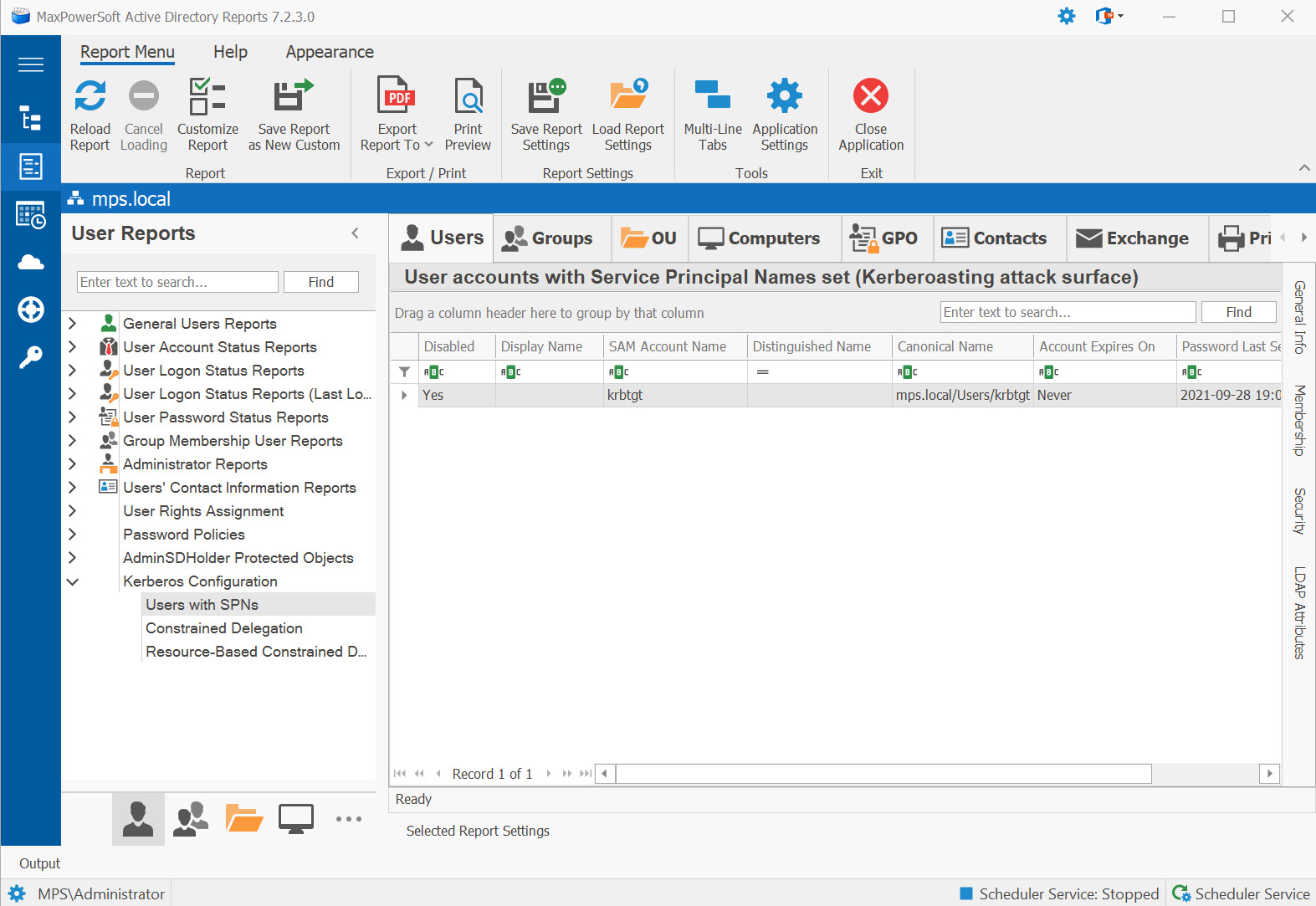
Available Reports
Users with SPNs
User accounts with Service Principal Names set (Kerberoasting attack surface). Any user account with an SPN can have its service ticket requested by any authenticated domain user, making these accounts targets for offline password cracking.
Use Cases
- Identify Kerberoasting attack surface across user accounts
- Audit service accounts for strong password enforcement
- Find candidates for migration to Group Managed Service Accounts (gMSA)
- Compliance review for privileged service accounts
Key Information
- Account name and enabled status
- Service Principal Name (SPN) value
- Password last set date and "never expires" flag
- Last logon date
Constrained Delegation
User accounts with constrained delegation configured (msDS-AllowedToDelegateTo). These accounts can
impersonate users to specific services, which requires careful auditing to prevent privilege escalation.
Use Cases
- Review accounts configured to impersonate users to specific backend services
- Verify delegation is scoped to only required services (not unconstrained)
- Audit multi-tier application service account configurations
Key Information
- Account name and type (user vs. service account)
- Allowed delegation targets (msDS-AllowedToDelegateTo)
- Protocol transition enabled (TrustedToAuthForDelegation)
- Account enabled status
Resource-Based Constrained Delegation
User accounts with Resource-Based Constrained Delegation (msDS-AllowedToActOnBehalfOfOtherIdentity).
RBCD allows the target resource to control which accounts can delegate to it, providing a more flexible
delegation model.
Use Cases
- Audit RBCD model where the resource controls delegation (not the user account)
- Detect potential RBCD-based privilege escalation paths
- Review msDS-AllowedToActOnBehalfOfOtherIdentity assignments
Key Information
- Account with RBCD configured
- Accounts allowed to act on its behalf
- Account type and enabled status
msDS-AllowedToActOnBehalfOfOtherIdentity can potentially compromise it.
All Delegation (Unified) New
One grid showing every user account with any delegation flag — Unconstrained, Constrained, Resource-Based Constrained Delegation, or Protocol Transition. Replaces the chore of running four separate delegation reports and merging the results yourself. Also cross-listed under Computers → Kerberos Configuration.
Use Cases
- Single-pane delegation review for security audits
- Find unexpected unconstrained-delegation user accounts
- Compliance review (SOX, ISO 27001, PCI-DSS)
Key Information
- Account name and Distinguished Name
- Delegation Type column — explicit category per row
- Allowed delegation targets / RBCD principals
- Account enabled status
Duplicate SPNs New
Surfaces user accounts that share a Service Principal Name with another account. Duplicate SPNs cause silent Kerberos authentication failures that are notoriously hard to diagnose — AD's forest-wide uniqueness check (introduced in Windows Server 2008 R2) prevents new duplicates, but legacy duplicates created before the check existed still linger.
Use Cases
- Diagnose intermittent Kerberos authentication failures
- Find legacy SPN duplicates predating the 2008 R2 uniqueness check
- Pre-migration cleanup before forest functional level upgrades
Key Information
- Account name and Distinguished Name
- Service Principal Name column shown by default
- Duplicate-of accounts
- Account enabled status
setspn -X from
an elevated prompt confirms forest-wide collisions and one-time cleanup eliminates years of intermittent
Kerberos pain.
See These Reports in Action
Try AD Reports free for 14 days — run any of these reports on your own Active Directory.
Download Free Trial View All Features