Password Policies (FGPP) Reports
3 ReportsAbout Password Policies (FGPP) Reports
Password Policies (FGPP) Reports provide visibility into Fine-Grained Password Policies (FGPPs) and the default domain password policy. Audit policy settings such as minimum length, complexity, lockout thresholds, and see which users and groups each policy applies to.
Review all FGPP parameters
See who each policy applies to
Verify password requirements
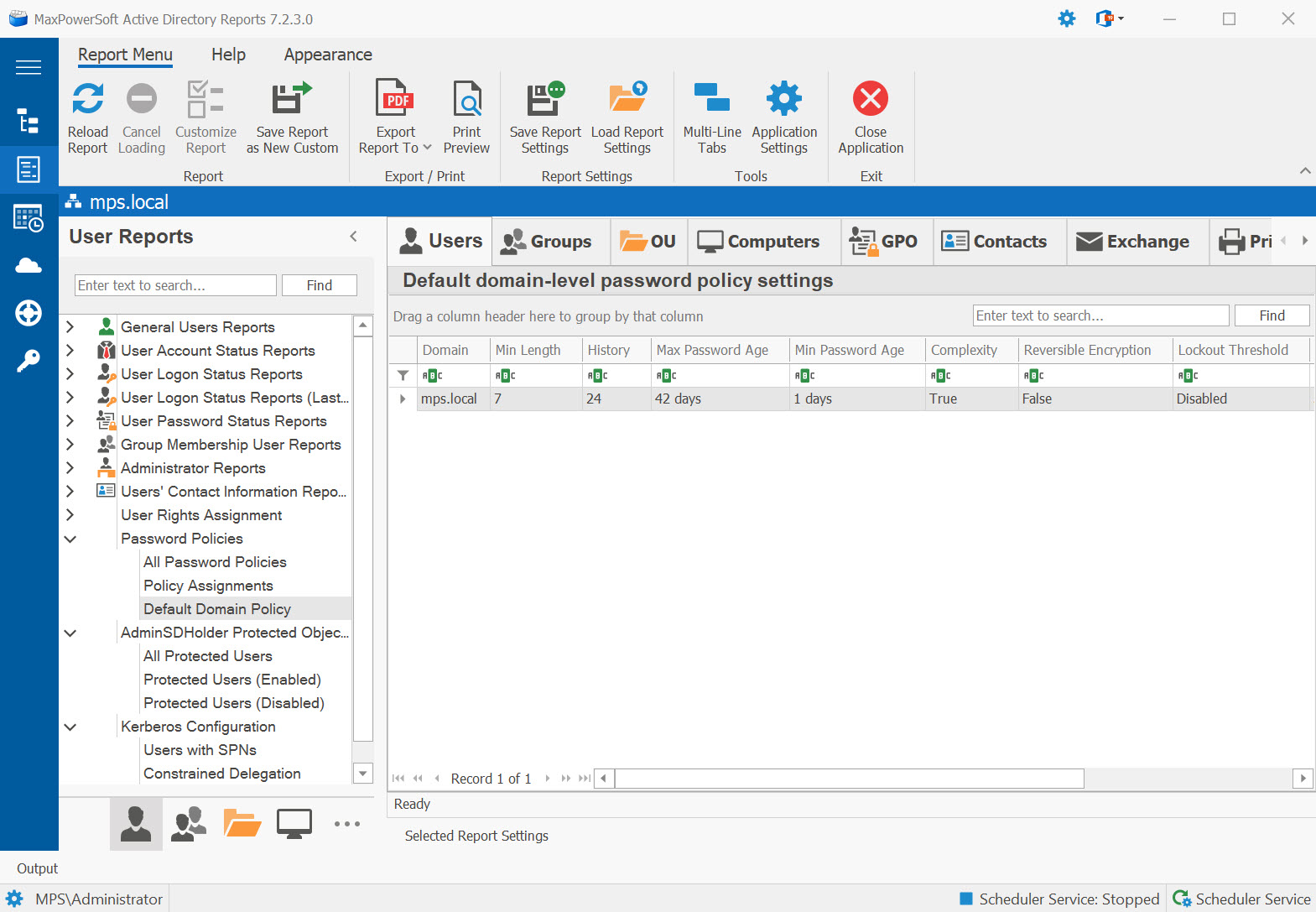
Example: Password Policies (FGPP) Reports in AD Reports
Available Reports
All Password Policies
All Fine-Grained Password Policies (FGPPs) with their settings. Lists every FGPP defined in the Password Settings Container, including precedence, minimum length, complexity, history, lockout thresholds, and the users/groups each policy applies to.
Use Cases
- Audit all password policies in the domain
- Review policy precedence and conflicts
- Compliance verification
Key Information
- Policy name and precedence
- Min/max password age
- Minimum length and history
- Complexity and lockout settings
- Applied users and groups
Policy Assignments
Which users and groups each Fine-Grained Password Policy applies to. Shows the relationship between FGPPs and their target objects, helping you verify the correct policy reaches the right accounts.
Use Cases
- Verify FGPPs are assigned to the correct users and groups
- Identify users not covered by any FGPP (falling back to default domain policy)
- Audit FGPP precedence where multiple policies could apply to the same user
Key Information
- Policy name and precedence value
- Assigned users or groups
- Minimum password length
- Lockout threshold set by this policy
Default Domain Policy
Default domain-level password policy settings. Displays the baseline password policy applied to all users who are not covered by a Fine-Grained Password Policy, including lockout and password age settings.
Use Cases
- Audit the domain-wide password baseline for all users not covered by FGPPs
- Verify policy meets security standards (12+ character minimum, lockout after 5 attempts)
- Compare against industry frameworks (CIS, NIST, SOX)
Key Information
- Minimum password length and complexity enabled
- Password history count
- Maximum and minimum password age (days)
- Account lockout threshold, duration, and observation window
Related Reports
Explore other user security report categories:
See These Reports in Action
Try AD Reports free for 14 days — run any of these reports on your own Active Directory.
Download Free Trial View All Features