Azure Entra ID Device Reports
4 ReportsAbout Device Reports
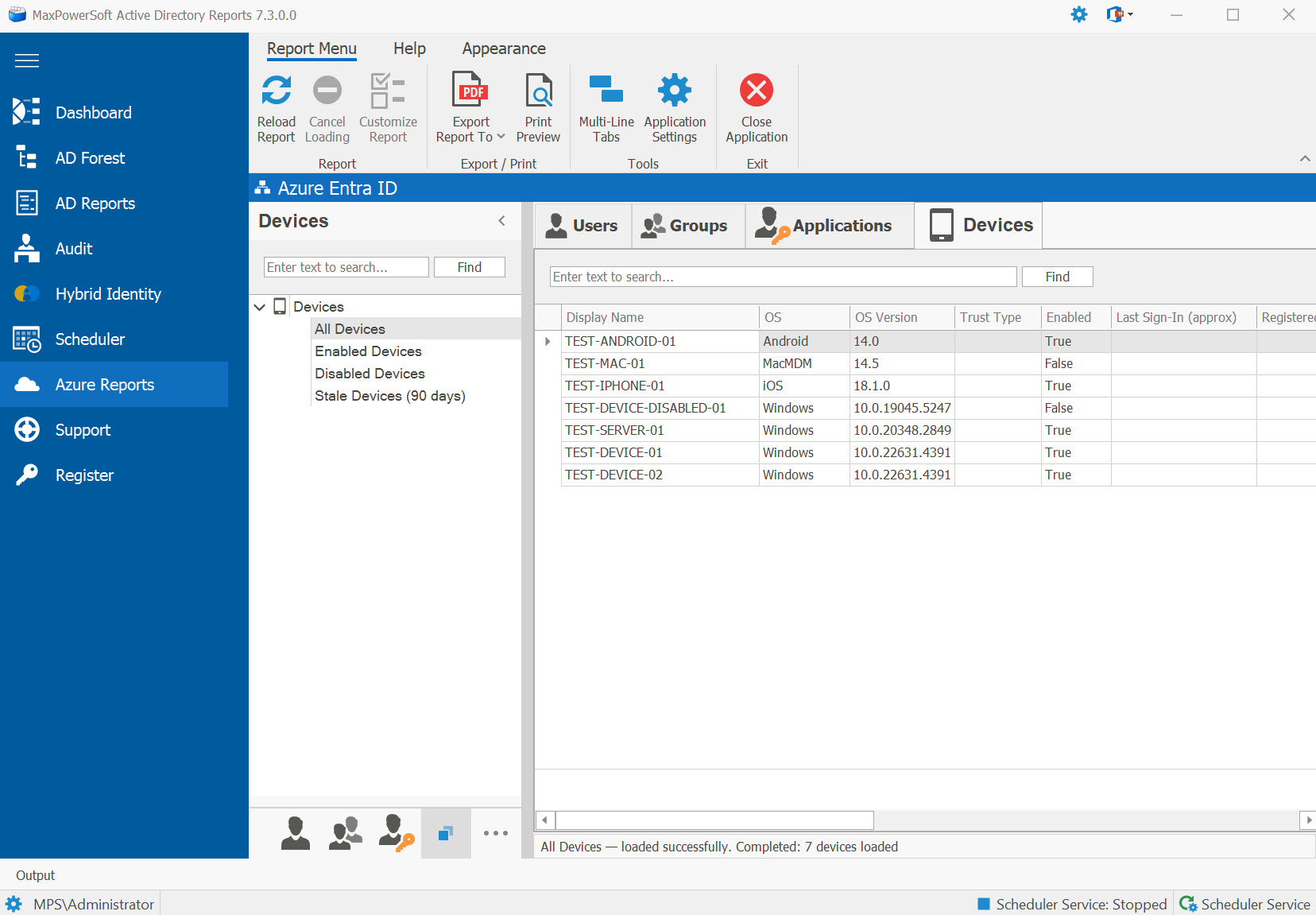
A brand-new Devices tab in Azure Reports, sitting alongside Users, Groups, and Applications & Access. Inventories every device registered in your Microsoft Entra ID tenant — Azure AD joined, hybrid Azure AD joined, and Azure AD registered (Workplace). All four reports use free-tier Microsoft Graph endpoints — no Entra ID P1 or P2 license required.
Device.Read.All Graph API permission only.
No premium licensing is needed. Compliance and management columns auto-populate when Intune is
in the picture; without Intune they render empty so the missing data is unambiguous.
Example: Azure Devices tab in AD Reports
Available Reports
All Devices
Every device returned by the Microsoft Graph /devices endpoint —
regardless of enabled state or last sign-in.
Enabled Devices
Devices where accountEnabled = true. Use this as your active-fleet inventory.
Disabled Devices
Devices where accountEnabled = false. Cleanup candidates — devices that
were retired but never deleted from Entra.
Stale Devices (90 days)
Devices whose last sign-in was more than 90 days ago. The cutoff is computed each time you run the report. Combine with Disabled Devices to find devices safe to remove.
Columns Returned
Each device row shows:
- Display name
- OS + version
- Trust type — AzureAd, ServerAd, or Workplace
- Enabled flag
- Last sign-in (approximate)
- Registration date
- Manufacturer, Model, Category
- Profile type
- Device ID and Object ID
- Compliance and Management columns — populated automatically when Intune is configured; empty when not (so you can tell missing data from explicit false)
Export & Print
Standard 8-format export menu (Excel, Clean XLSX, CSV, PDF, HTML, RTF, plain text, multi-sheet workbook) plus Print Preview — identical to Azure Users, Groups, and Applications. Filenames include a timestamp suffix so iterative exports stay sortable by date.