Group Membership Reports
6 ReportsAbout Group Membership Reports
Group Membership Reports provide detailed visibility into user group assignments and organizational structure. Analyze primary groups, nested memberships, multi-group users, and special group assignments like Domain Users and Domain Guests.
Track group assignments and relationships
Identify primary and secondary memberships
Audit permissions through group assignments
Example: Group Membership Reports
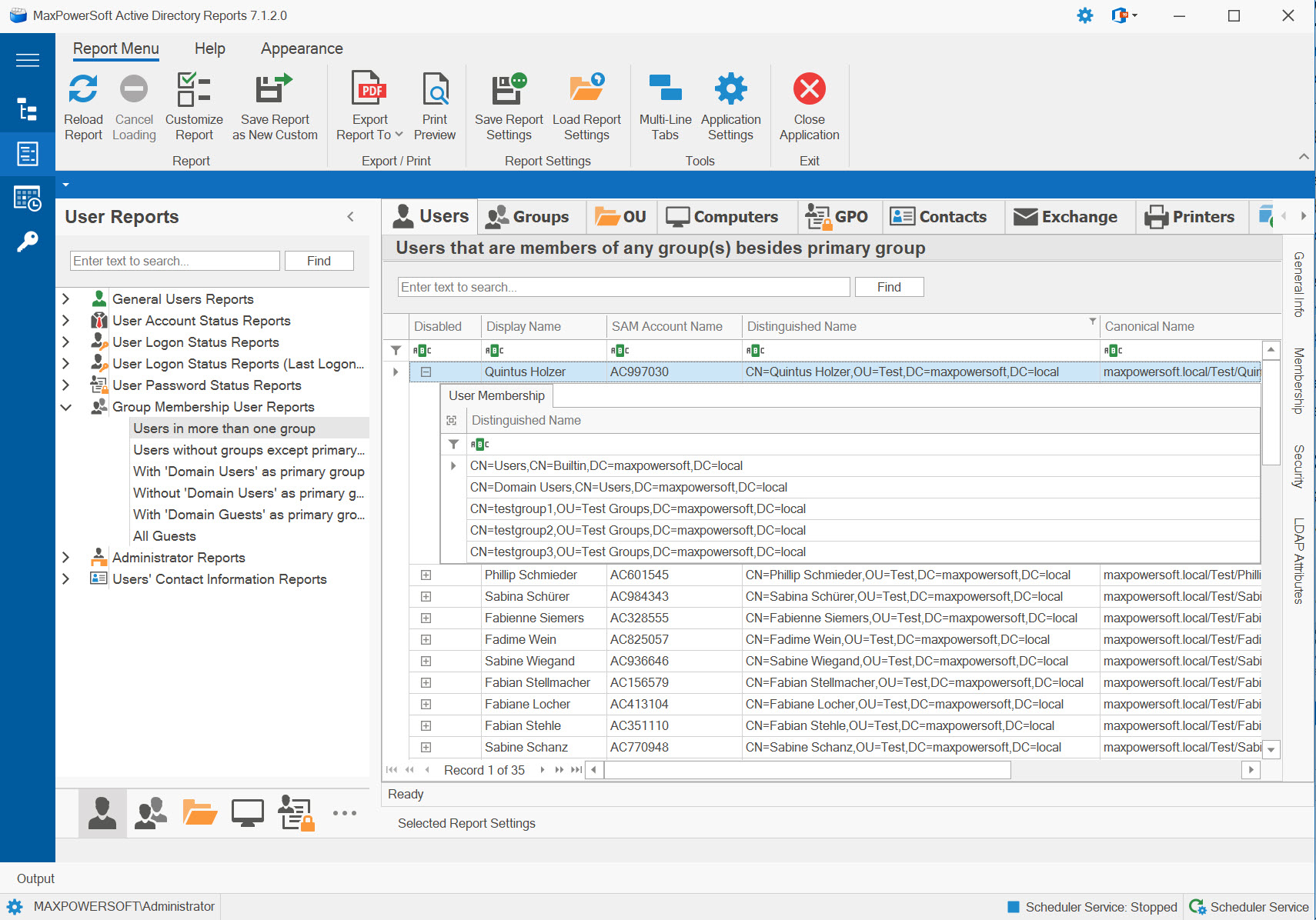
Available Reports
Users in More Than One Group
Lists users who are members of multiple groups beyond their primary group assignment. Essential for understanding complex permission structures and nested group memberships.
Use Cases
- Analyze permission inheritance
- Audit multi-group assignments
- Identify users with complex access
- Review security group memberships
Key Information
- User account details
- Primary group assignment
- Additional group memberships
- Total number of groups
- Group types (security/distribution)
Users Without Groups Except Primary Group
Shows users who only belong to their primary group with no additional group memberships. May indicate incomplete provisioning or accounts that haven't been properly configured.
Use Cases
- Identify potentially orphaned users
- Find incomplete account provisioning
- Audit minimal access accounts
- Detect onboarding issues
Key Information
- Users with only primary group
- Primary group name
- Account creation date
- Department and manager
- Last logon activity
With 'Domain Users' as Primary Group
Lists users whose primary group is set to 'Domain Users' - the standard and recommended configuration for most user accounts in Active Directory.
Use Cases
- Verify standard configurations
- Audit primary group assignments
- Identify properly configured users
- Baseline for normal accounts
Key Information
- Standard user accounts
- Primary group: Domain Users
- Additional group memberships
- Account status
- User details
Without 'Domain Users' as Primary Group
Identifies users with non-standard primary group assignments. May indicate special accounts, POSIX compatibility requirements, or configuration issues requiring review.
Use Cases
- Identify non-standard configurations
- Find POSIX/UNIX integration accounts
- Audit special account types
- Detect misconfigured accounts
Key Information
- Non-standard primary groups
- Alternative group assignments
- POSIX attributes (if applicable)
- Account purpose
- Configuration justification
With 'Domain Guests' as Primary Group
Shows users configured with 'Domain Guests' as their primary group - typically external users or visitors with limited access.
Use Cases
- Track guest account assignments
- Audit external user access
- Monitor visitor accounts
- Review limited access users
Key Information
- Guest account assignments
- Limited access configuration
- External user details
- Account expiration
- Access duration
All Guests
Comprehensive list of all guest accounts in the domain, regardless of primary group. Essential for managing external user access and maintaining security boundaries.
Use Cases
- Complete guest account inventory
- External access audit
- Visitor account management
- Compliance and security review
Key Information
- All guest accounts
- Access permissions
- Account status and expiration
- Sponsoring employee
- Last logon activity
Related Reports
Explore other user report categories:
See These Reports in Action
Try AD Reports free for 14 days — run any of these reports on your own Active Directory.
Download Free Trial View All Features