Hybrid Identity Gap Analysis
Hybrid Identity is a brand-new top-level page that cross-references your on-prem Active Directory users with your Entra ID (Azure AD) tenant and surfaces the mismatches. Six pre-built views answer the questions on-prem reporting alone can't: Where are my cloud-only admins? Which on-prem accounts never made it to Entra? Are there immutableID conflicts breaking sync?
Connect On-Prem and Entra
- Select an on-prem domain from the AD Forest tree (left panel).
- Open Azure Reports and complete authentication for your tenant. AD Reports uses standard Microsoft Graph permissions — no Entra ID P1/P2 license required.
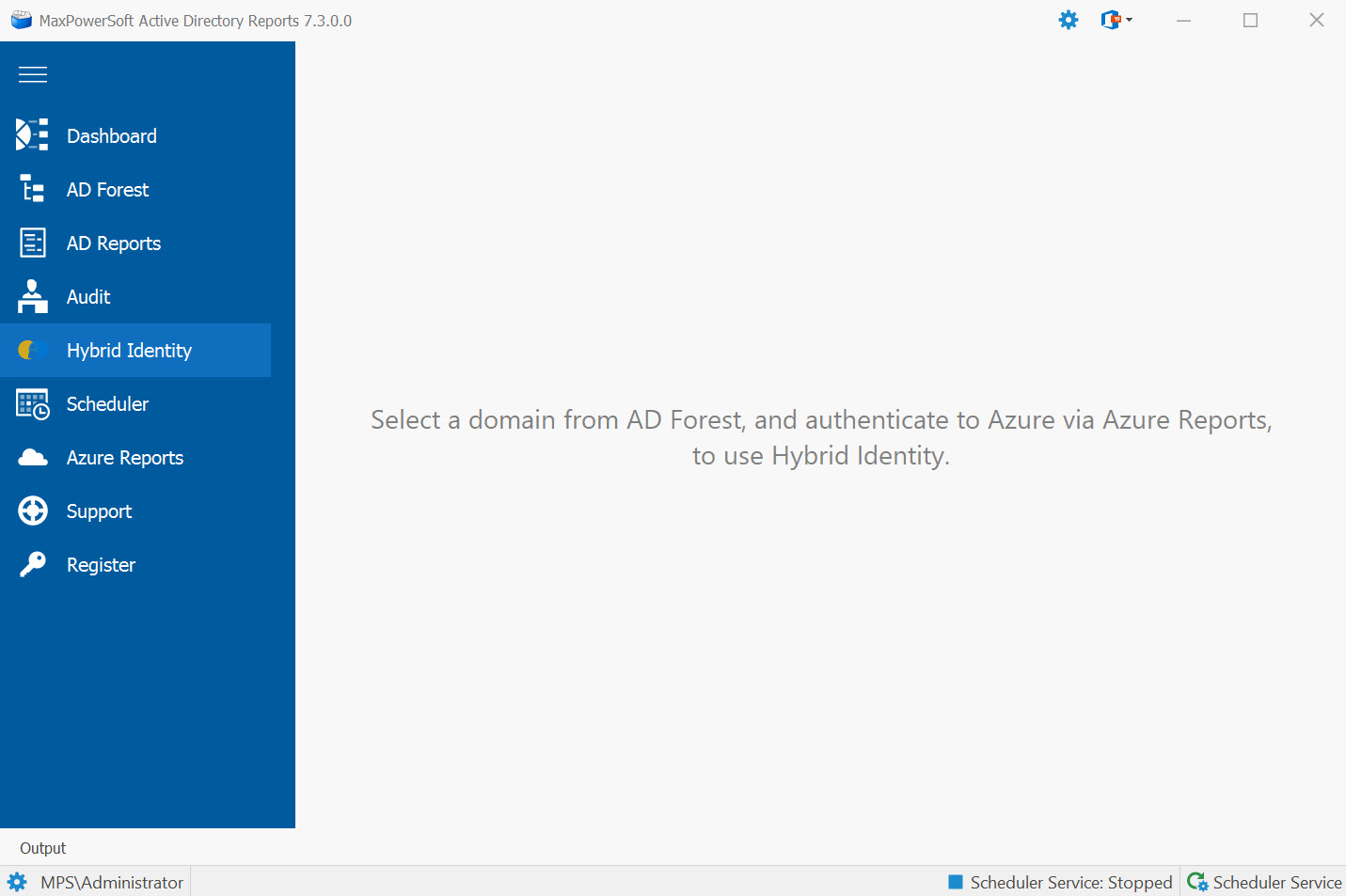
- Click Hybrid Identity in the navigation. The empty-state prompt disappears once both sides are connected.
Switch Between the Six Pre-Built Views
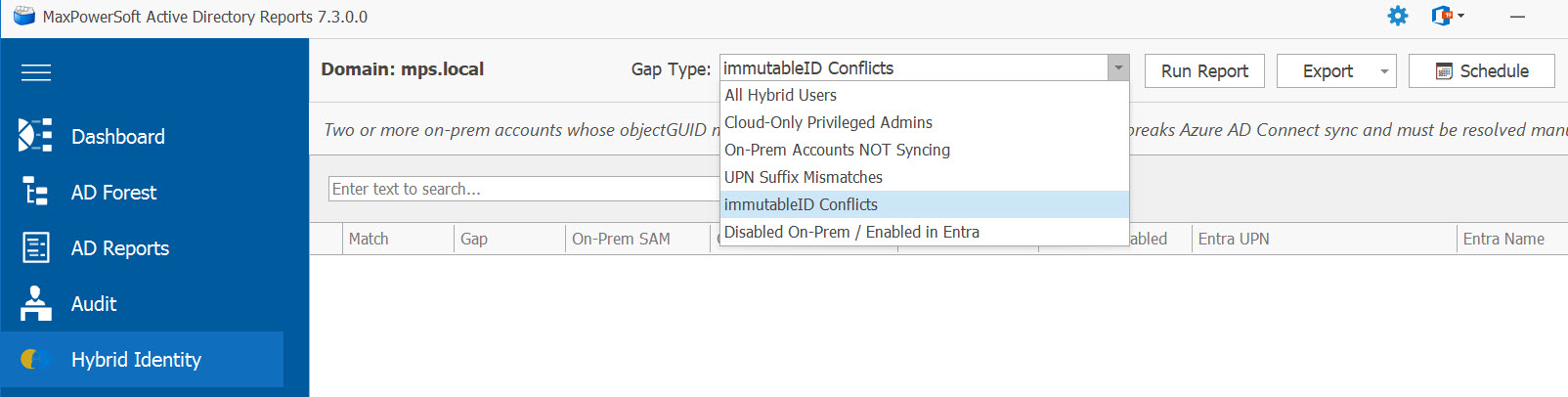
The view dropdown at the top of the Hybrid Identity page exposes six views:
- All Hybrid Users — every user from either side, with a column showing whether they're matched, on-prem-only, or cloud-only.
- Cloud-Only Privileged Admins — Entra users assigned to high-privilege roles (Global Admin, Security Admin, Exchange Admin, etc.) who don't have a corresponding on-prem account. Major security blind spot for hybrid shops.
- On-Prem Accounts NOT Syncing — on-prem users that never made it to Entra. Symptom of sync exclusion, sync errors, or a stopped sync engine.
- UPN Suffix Mismatches — matched accounts whose UPN suffix differs between on-prem and Entra (e.g.,
@contoso.localvs@contoso.com). Common after domain renames or sync misconfiguration. - immutableID Conflicts — multiple on-prem accounts mapping to the same Entra account. Breaks Azure AD Connect and needs manual cleanup.
- Disabled On-Prem / Enabled in Entra — accounts that were disabled on-prem but the disable didn't propagate to Entra. The cloud account is still active and can authenticate.
Read the Header Summary and Match Status
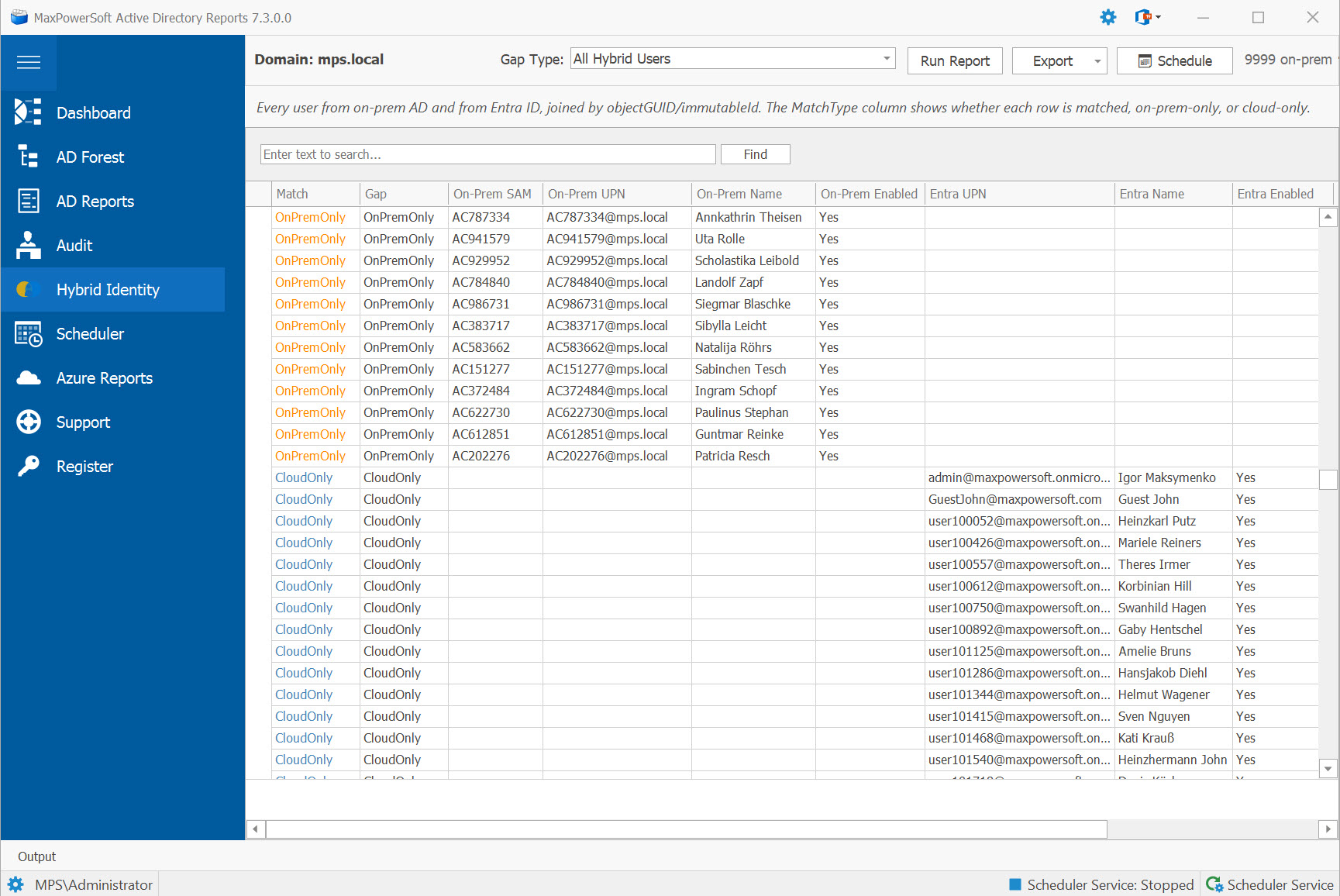
The header at the top of the page shows total counts at a glance: "3,420 on-prem · 3,612 Entra · 3,398 matched · 22 on-prem-only · 214 cloud-only". Match status is color-coded:
- • Green — matched (both sides have the account)
- • Orange — on-prem-only
- • Blue — cloud-only
Optional hidden columns (immutableId base64, DN, Entra Object ID) are available via the column chooser for forensic investigation. Click the toolbar's column chooser button to enable them.
Export Results
Use the Export button on the toolbar to save the current view to Excel or CSV.
Filenames include a timestamp suffix (e.g.,
HybridIdentity_CloudOnlyPrivilegedAdmins_20260510_143052.xlsx) so iteratively-saved
exports stay sortable by date.
For audit-trail purposes, save snapshots of these views via the Report History & Compare feature — you can then run a diff against a prior baseline and see every hybrid identity drift.
Schedule Hybrid Identity Reports for Unattended Delivery
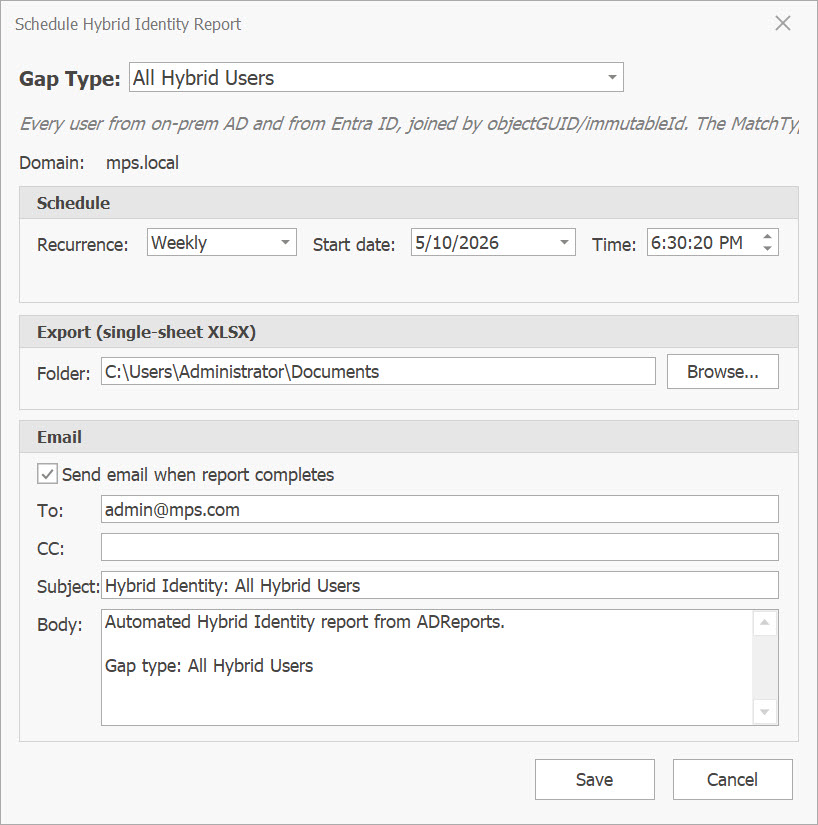
Any of the six Hybrid Identity views can run unattended on a Once / Daily / Weekly / Monthly cadence and have the result emailed automatically. Click the 📅 Schedule button on the Hybrid Identity toolbar.
The Schedule dialog lets you configure:
- Gap-type picker — which of the six views to run (one schedule per gap-type)
- Recurrence — Once, Daily, Weekly, or Monthly
- Start date and time (defaults to now)
- Export folder — where the Excel attachment is saved
- Email recipients, subject, and body
Visual Indicators
- Scheduled views show a 🕐 clock prefix in the dropdown so it's obvious at a glance which ones are on a schedule
- The description label below the dropdown adds a status line: "🕐 Scheduled · Weekly · Next: in 3d"
- 30-second auto-refresh keeps the markers and next-run text current after the scheduler executes a job
Scheduler Calendar & Job History
Scheduled Hybrid jobs appear on the Scheduler Calendar in dark cyan with the subject "🌐 Hybrid: {gap type}". Job History rows render the same way — color-coded status, retry tracking, and email delivery flags work identically to other scheduled jobs.
Double-clicking a Hybrid appointment on the calendar redirects you back to the Hybrid Identity page (the report-oriented edit form would corrupt hybrid-specific fields).
- Weekly Cloud-Only Privileged Admins → security team's standing review
- Daily On-Prem Accounts NOT Syncing → IT ops sync-health monitoring
- Monthly Disabled On-Prem / Enabled in Entra → compliance audit trail
- One-shot All Hybrid Users before / after an AAD Connect cutover or schema migration