Computers
LAPS Coverage Reports
The LAPS Coverage folder under Computers shows the Local Administrator Password Solution (LAPS) deployment status: which computers have their local administrator password managed by LAPS, and which do not. Both products count, legacy Microsoft LAPS and Windows LAPS, whether Windows LAPS keeps the password encrypted or not.
- Both LAPS products. Legacy Microsoft LAPS and Windows LAPS
- The gap. Computers whose local admin password is not managed
- In six built-in profiles. Security Audit, Hygiene Check, Compliance Report and three more
2 reports · open one for its details
Computers with LAPS
Computers with LAPS deployed, legacy Microsoft LAPS (ms-Mcs-AdmPwd) or Windows LAPS.
What counts as LAPS
A computer is listed when any of the attributes that the two products write is set: ms-Mcs-AdmPwd or ms-Mcs-AdmPwdExpirationTime (legacy Microsoft LAPS), or msLAPS-Password, msLAPS-EncryptedPassword or msLAPS-PasswordExpirationTime (Windows LAPS).
Built-in profile
Compliance Report runs it as "LAPS Coverage (With LAPS)", beside the Without LAPS report, so one run shows both sides.
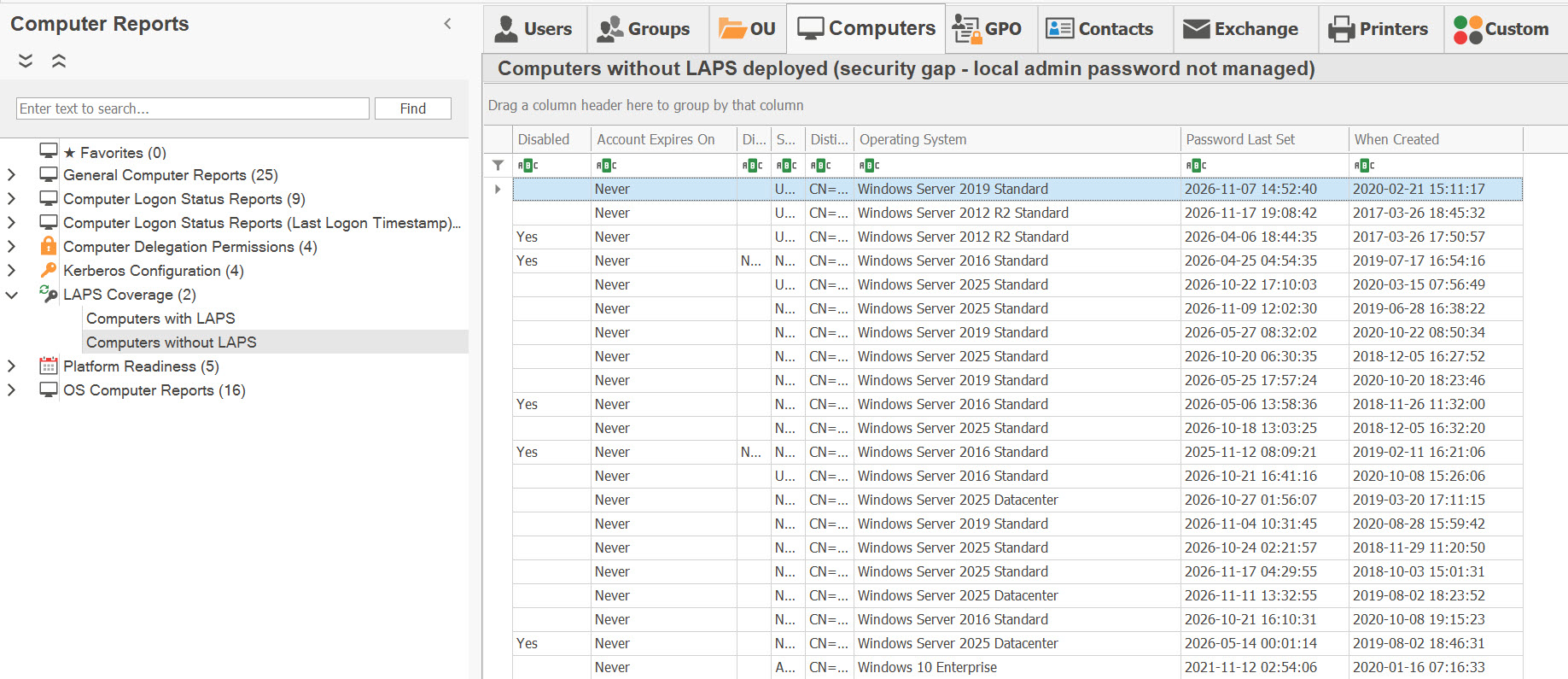
Computers without LAPS
Computers without LAPS deployed: a security gap, since their local administrator password is not managed.
What it checks
A computer is listed when none of the five LAPS attributes is set: neither the legacy Microsoft LAPS ones (ms-Mcs-AdmPwd, ms-Mcs-AdmPwdExpirationTime) nor the Windows LAPS ones (msLAPS-Password, msLAPS-EncryptedPassword, msLAPS-PasswordExpirationTime).
Built-in profiles
Security Audit, Hygiene Check, Compliance Report, Legacy OS & Stale Systems, PCI-DSS Quarterly and SOC 2 Annual run it.
Related reports
- Platform Readiness: 5 reportsComputers not managed by LAPS, LAPS passwords past their expiry, legacy LAPS
- LAPS Passwords Readable Beyond the Defaults: ReportThe security finding on who can read LAPS passwords
- General Computer Reports: 25 reportsComputer inventory, enabled and disabled accounts
- ComplianceBoth reports are tagged for all seven frameworks