Check Joiners, Movers and Leavers
People join, change jobs and leave, and each change should change their accounts. This routine checks afterwards that it did: new accounts nobody has used, accounts that changed and the groups they still carry, temporary accounts about to expire, and leavers who can still sign in — in Active Directory and in Entra ID. It is written for administrators and for whoever reconciles accounts with HR. The built-in ★ User Lifecycle audit profile runs its Active Directory reports.
Run the User Lifecycle Profile
On the Audit page, select ★ User Lifecycle and run it (see Run an Audit). Its 13 reports, by the question they answer:
- Who joined: Accounts Created During Last XX Days (the profile's Users Created (Last 30 days)), Never Logged on Enabled and Must Change Password at Next Logon.
- Who changed: Accounts Changed During Last XX Days (Users Changed (Last 30 days)).
- Who is leaving or has left: Accounts Expiring Within XX Days, Expired Accounts, Disabled User Accounts, Deleted User Accounts and Inactive Users for XX Days (Inactive Users (90 days)).
- Also listed: locked accounts, expired passwords, passwords that never expire, and Service Accounts.
The days in those names are only names: the profile runs each report with the number of days saved for it on the AD Reports page — 30 until you change it — and shows that number after the name (Users Created (Last 30 days) 62 days in the picture). To match an HR report for a given period, set the days on the AD Reports page: right-click the report, choose Customize... and set its days on the Dates page. Or run Accounts Created Between Specified Dates and Accounts Changed Between Specified Dates there.
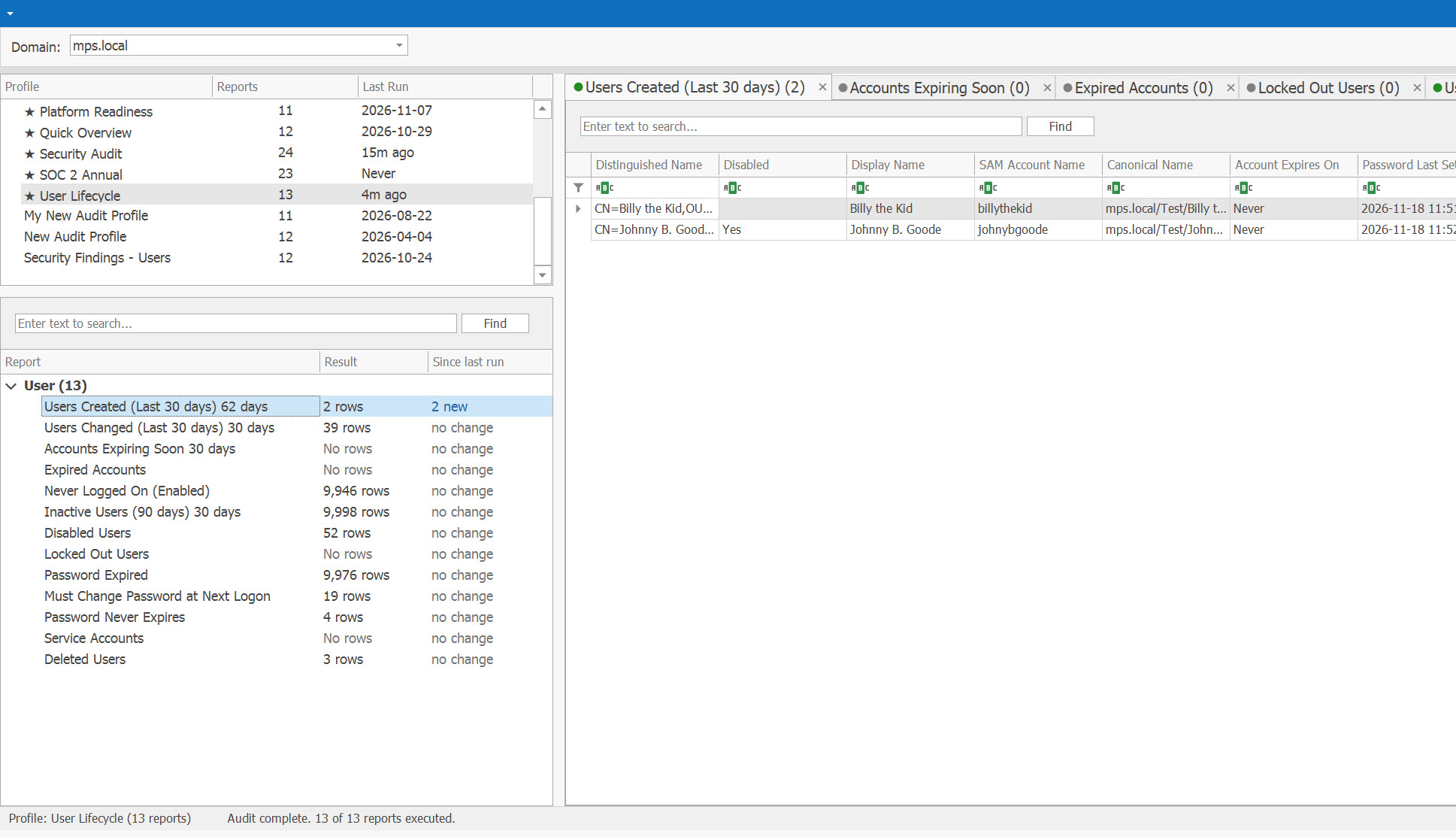
Check the Joiners
- Accounts Created During Last XX Days — compare it with HR's list of starters for the same days. An account that HR's list does not name needs an owner, or removal. For the other direction, run Report on a List on All Users Report with HR's starters: a starter with no account is not found.
- Never Logged on Enabled — accounts created and never used: an onboarding that did not finish, or an account nobody needed. For accounts that never signed in, Active Directory Pro counts its 90 days from the creation date (Active Directory Pro).
- Must Change Password at Next Logon — accounts whose first password has not been changed yet. PCI DSS 8.3.5 wants a first-use password unique and changed immediately after the first use (Microsoft Learn).
- Temporary staff. Give temporary staff, auditors and seasonal workers an account expiry date, so the account disables itself (Active Directory Pro). Accounts Set to Expire lists the accounts that have one, Accounts Expiring Within XX Days those about to reach it — extend them or let them go — and Accounts Never Expire those without one.
Check the Movers
A mover keeps the old job's access unless someone removes it: Microsoft notes that users accumulate access as they move between teams and positions (Microsoft Learn). None of the sources gives a procedure, so the check is a comparison:
- Run Report on a List on All Users Report with HR's list of movers. If your moves update the department, title or manager in Active Directory, Accounts Changed During Last XX Days lists the movers too, among every other account that changed.
- Load their groups: right-click the report, choose Customize..., and on the Report Wizard's Membership page check Load User Membership — with Load all security groups including nested group membership for nested and primary groups too (see How to Load User Membership).
- Compare each mover's groups with what the new role needs, and remove the old role's groups. Ask the new manager or the group's owner: for access reviews, Microsoft suggests managers reviewing their direct reports' access, and group owners reviewing membership, as they know best who needs it (Microsoft Learn).
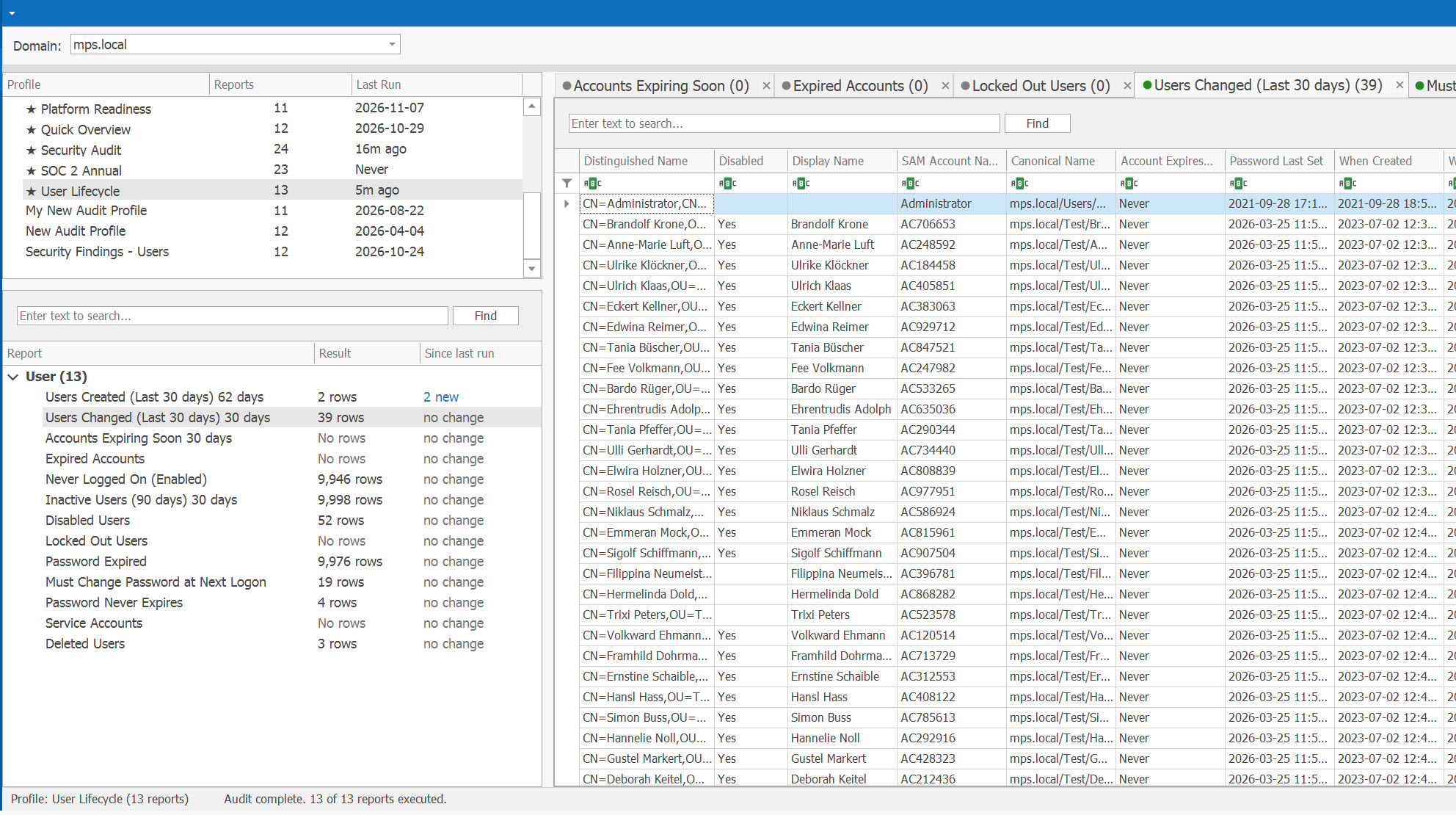
Check the Leavers
Take HR's list of leavers for the period and check each account:
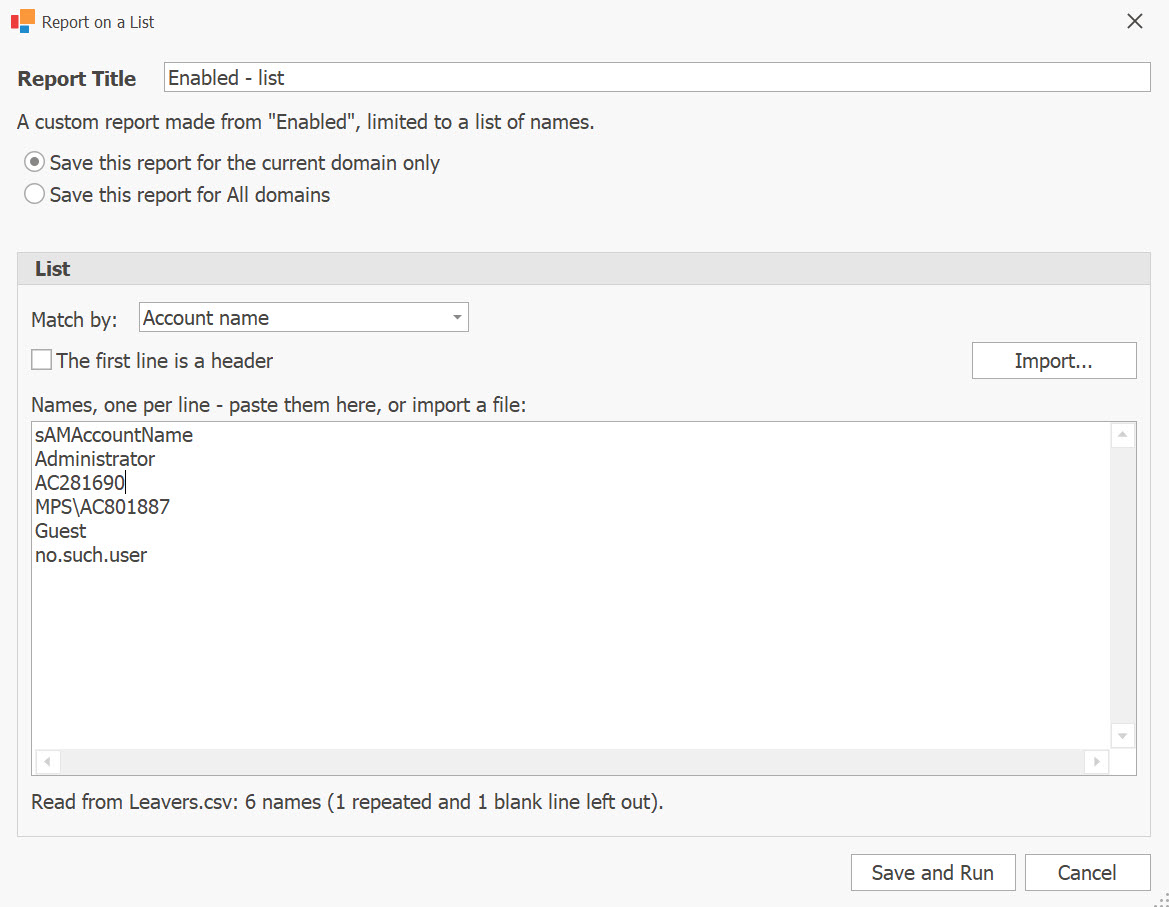
- Disabled? Run Report on a List on Enabled Including Locked User Accounts with HR's leavers: every row is a leaver whose account is still enabled, and Not in This Report gives the leavers already disabled as left out by its conditions. Made from Enabled, as in the window below, the list leaves out locked accounts too. Compare HR's list with Inactive Enabled Users for XX Days too: an enabled account that stopped signing in may belong to someone who left.
- Still in groups? Load the groups of Disabled User Accounts, as for the movers. Microsoft's Lifecycle Workflows have leaver tasks that disable the account, remove it from all groups, revoke its refresh tokens, remove its licences and delete it (Microsoft Learn). A disabled account left in an admin group costs points in the Dashboard's Security Posture Score and raises a Security Alert, and Protected Users (Disabled) lists the disabled accounts that kept the adminCount mark (see Review Privileged Access).
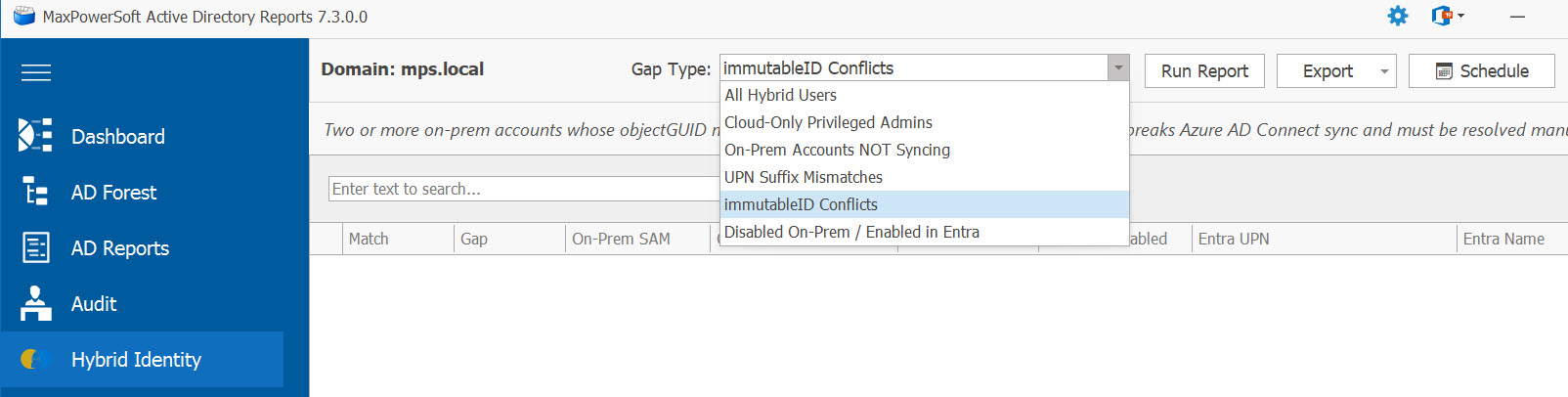
- Still enabled in Entra ID? On the Hybrid Identity page, the Disabled On-Prem / Enabled in Entra view lists accounts disabled in Active Directory whose cloud account is still active and can authenticate (see the six views). Licensed Disabled Users lists disabled Entra ID users that still hold a licence.
Microsoft 365's own offboarding has seven steps — prevent sign-in, save the mailbox, wipe and block mobile devices, forward e-mail or convert the mailbox to a shared one, give another employee the OneDrive and Outlook data, remove the licence, delete the account — and keeps a deleted account's mailbox and OneDrive content for 30 days. An account synchronized from Active Directory is deleted, and restored, in Active Directory, not in Microsoft 365 (Microsoft Learn).
On the Active Directory side, Active Directory Pro disables the account, moves it to an Inactive OU, notes the date and the administrator's initials in its description, and deletes it after 90 days (Active Directory Pro). Deleted User Accounts During Last XX Days confirms the deletions — and shows any you did not expect.
Reconcile with HR and Keep the Record
HR's lists of starters, movers and leavers come from HR; no reporting tool holds them. What AD Reports adds is the directory's side for the same period, dated.
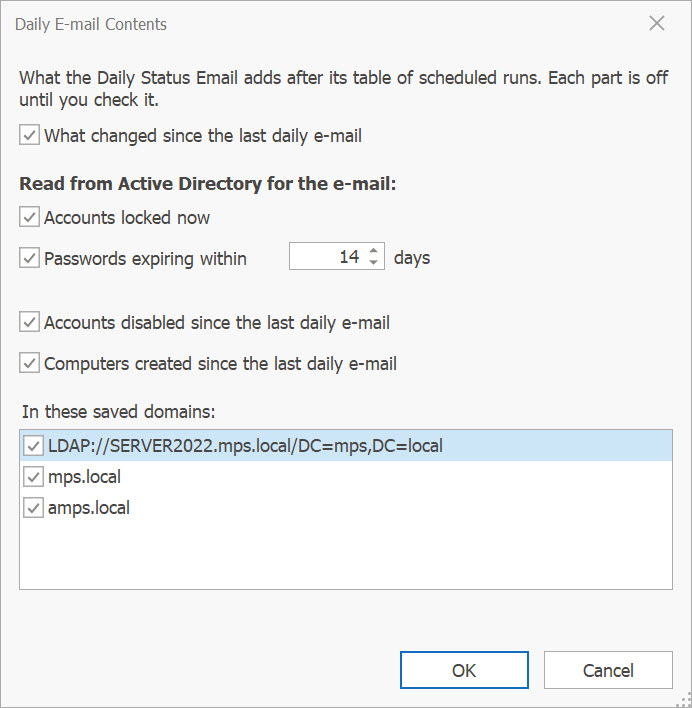
How often. CIS wants every active account validated as authorized at least quarterly, Safeguard 5.1 (CIS Controls). Schedule User Lifecycle, and the Entra ID reports you use, so that each period's lists are ready when HR's arrive. Between reconciliations, the daily status e-mail can list the accounts disabled since the last one.
What to keep for each period:
- the HR lists you used, with their dates;
- the directory lists for the same period — created, changed, disabled, deleted — as exported;
- each mismatch and what was done about it: the account disabled late, the group removed, the licence taken back;
- the approval behind each change, from your ticketing system.
One practitioner guide's worked example for SOC 2 tests leavers the same way: it takes them from the HR system's report and checks each against its deactivation (TCSA). ENISA's NIS2 guidance lists records of changes to identities due to a role change, the end of employment or inactivity among its examples of evidence (ENISA).