Computers New in 7.6.5
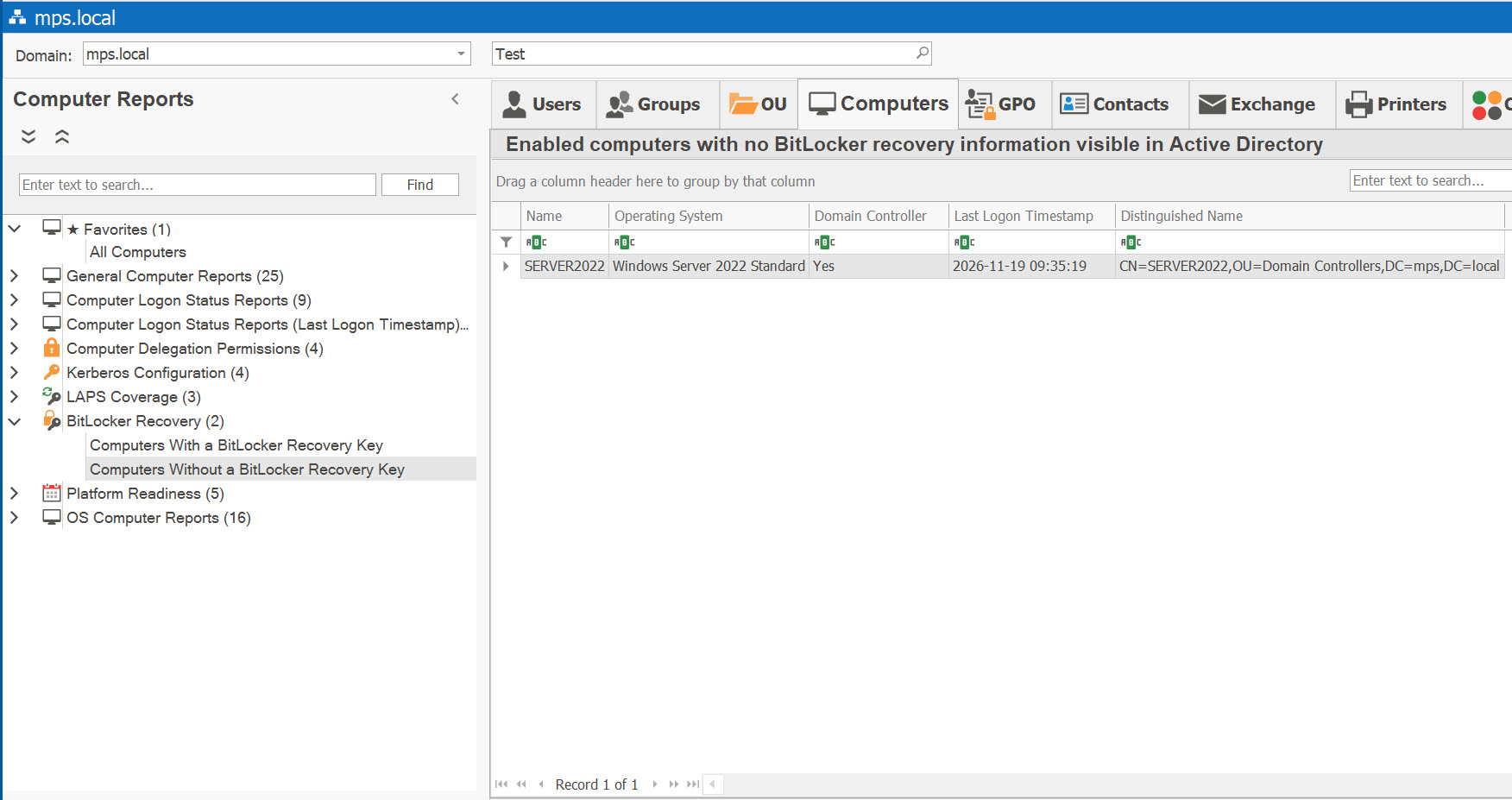
BitLocker Recovery Reports
The BitLocker Recovery folder under Computers shows the BitLocker recovery information Active Directory holds for each computer: which computers have a recovery key backed up, how many and when, and which enabled computers have none. Neither report reads a recovery password — only that the recovery objects are there, for which volumes, and when they were created.
By default only domain administrators may see BitLocker recovery information, so each report says whose view it is: the saved credentials of the domain, or the Windows account AD Reports runs under. When the account sees no recovery information at all, the status line says so — either none is stored, or the account may not read it.
- Backed up. Recovery keys and volumes per computer, newest and oldest
- The gap. Enabled computers with no recovery key
- Never the password. Only that a key is there
2 reports · open one for its details
Computers With a BitLocker Recovery Key New in 7.6.5
Each computer whose BitLocker recovery information Active Directory holds — how many recovery keys, for how many volumes, and when the newest and the oldest were backed up. Columns: Name, Recovery Keys (Count), Volumes (Count), Newest Backup, Oldest Backup, Operating System, Enabled, Distinguished Name.
Use Cases
- Confirm that encrypted computers can be recovered
- Find computers whose last backup is old
- Evidence for an encryption or recovery audit
Key Information
- Windows keeps the earlier keys when a volume's key is backed up again, so a computer can hold several; the status line counts those that do
- Only the recovery objects' IDs and creation times are read
- A one-level search still finds its computers' keys
Computers Without a BitLocker Recovery Key New in 7.6.5
Each enabled computer with no BitLocker recovery information visible in Active Directory. Columns: Name, Operating System, Domain Controller, Last Logon Timestamp, Distinguished Name.
Use Cases
- Computers that could not be recovered if BitLocker locked them
- Check a BitLocker roll-out, or the Group Policy that backs keys up to Active Directory
Key Information
- Read as the account the report runs with: a computer whose key that account may not see is listed too
- Run it as a domain administrator, or an account delegated to read recovery information, for the whole picture