Users New in 7.6.5
Duplicates and Conflicts Reports
The Duplicates and Conflicts folder under Users holds three reports on names held twice in the forest, and on the objects Windows renamed or moved after a replication conflict. Each reads every domain of the forest through its own domain controller, and its status line says which it read; a domain that cannot be read fails the report, since a duplicate could be there.
Two holders of one name are two people a helpdesk or a script can confuse. A name held in two domains matters most before a migration or a domain consolidation, and a display name held twice is the one people pick from the address book. The built-in Hygiene Check audit profile runs all three.
- Account names. One sAMAccountName in two or more domains
- Display names. One display name on two or more objects
- Conflicts and orphans. What replication renamed or moved
3 reports · open one for its details
Duplicate Account Names Across the Forest New in 7.6.5
Each account name (sAMAccountName) that users, groups or computers hold in two or more domains of the forest, compared ignoring case — leaving out Windows' own built-in accounts and groups. Columns: Account Name, Holders (Count), Held By, Domains, Distinguished Name.
Use Cases
- Before a migration or a domain consolidation
- Scripts and tools that find an account by its name alone
- Two people the helpdesk can confuse
Key Information
- Held By: each holder's name, kind and domain — “John Smith (user, mps.local)”, “jsmith (computer, emea.mps.local)”
- Distinguished Name: the holder in the domain selected in the Domain box, else the first by domain name
- A name is left out only when every holder is Windows' own: a built-in account or group (a critical system object), or DnsAdmins and DnsUpdateProxy, which each domain with the DNS server role has
- The status line names the domains read and what was left out
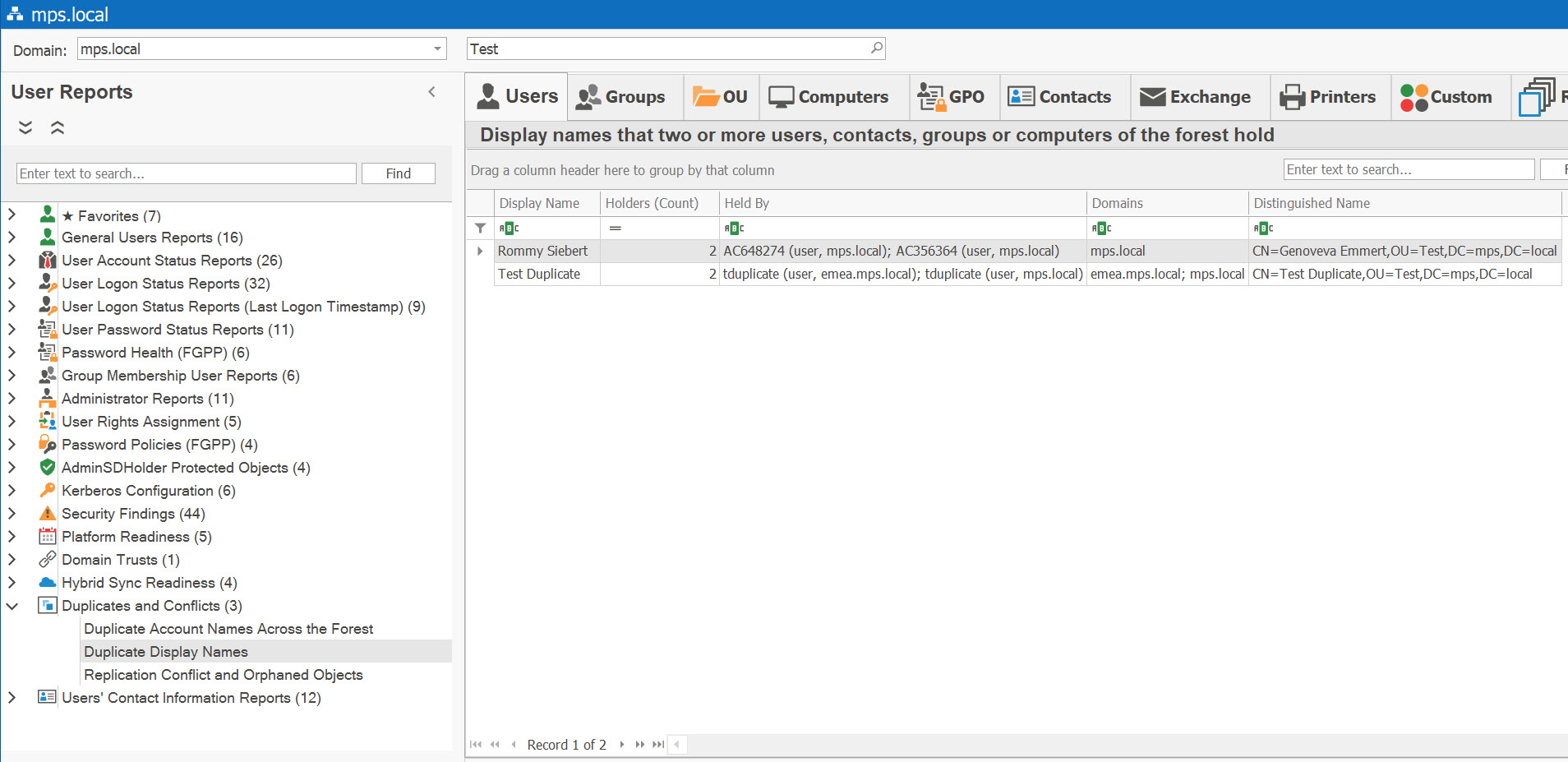
Duplicate Display Names New in 7.6.5
Each display name that two or more users, contacts, groups or computers of the forest hold, in one domain or several, compared ignoring case. Columns: Display Name, Holders (Count), Held By, Domains, Distinguished Name.
Use Cases
- Two entries of one name in the address book
- People picked by mistake in a permission or a distribution list
- Directory hygiene reviews
Key Information
- Held By: each holder's account name (a contact's e-mail address), kind and domain — “jsmith (user, mps.local)”, “john.smith@contoso.com (contact, mps.local)”
- Distinguished Name: the holder in the domain selected in the Domain box, else the first by domain name
- Spaces around a name do not make it different
Replication Conflict and Orphaned Objects New in 7.6.5
The objects Windows renamed after a replication conflict (CNF), and those it moved to LostAndFound because their container was deleted on another domain controller — in every domain, DNS and configuration partition of the forest. Columns: Kind, Name, Class, Naming Context, Created, Last Known Parent, Distinguished Name.
Use Cases
- Find the leftovers of an object created on two domain controllers at once
- Find what lost its container, and where it was
- Directory health checks
Key Information
- Kind: Conflict or Orphaned; Name: the name before the conflict's suffix
- Naming Context: the domain, “DomainDnsZones of …”, “ForestDnsZones” or “Configuration”
- Last Known Parent: where an orphaned object was, “Sales (deleted)” when that container was deleted